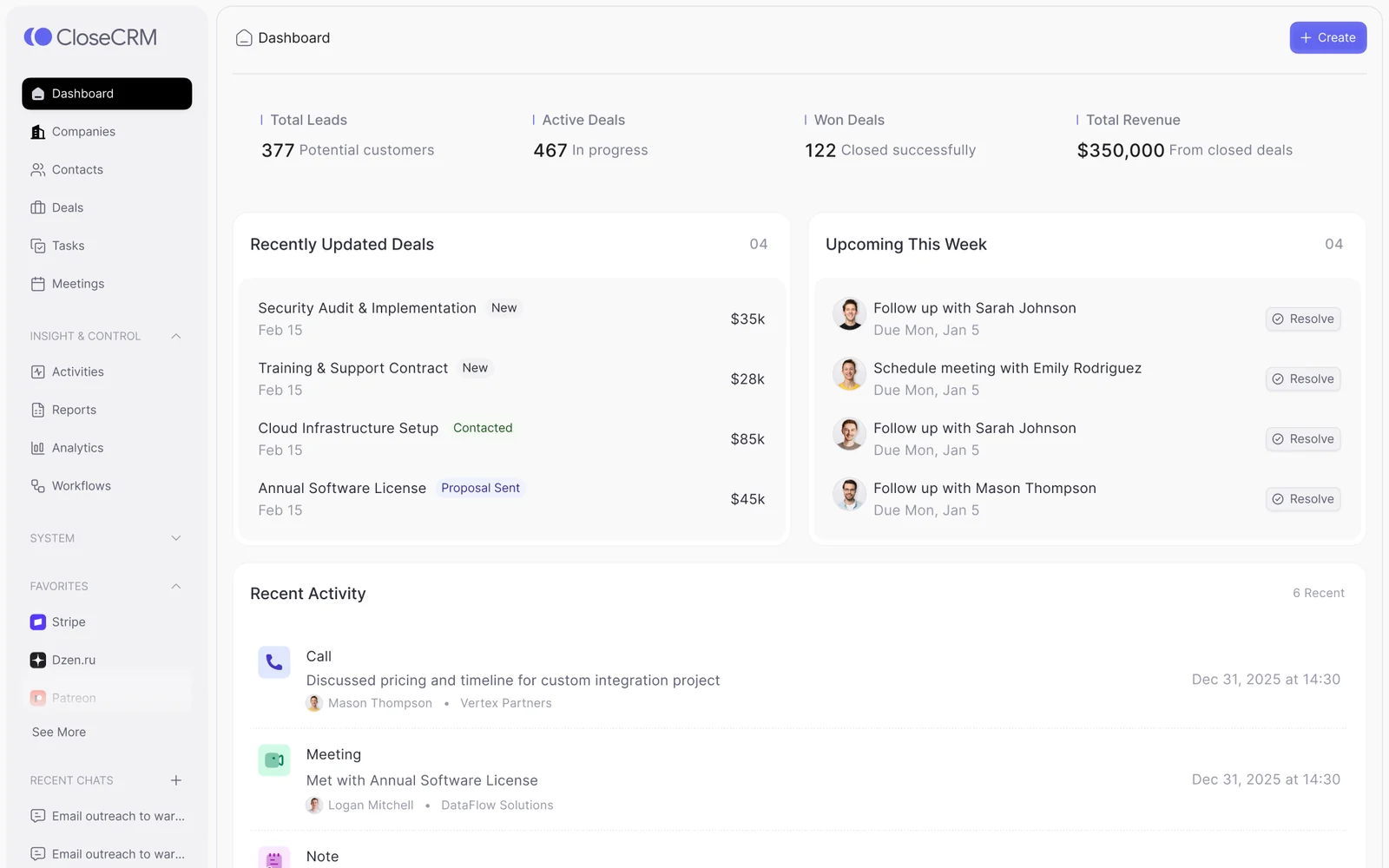
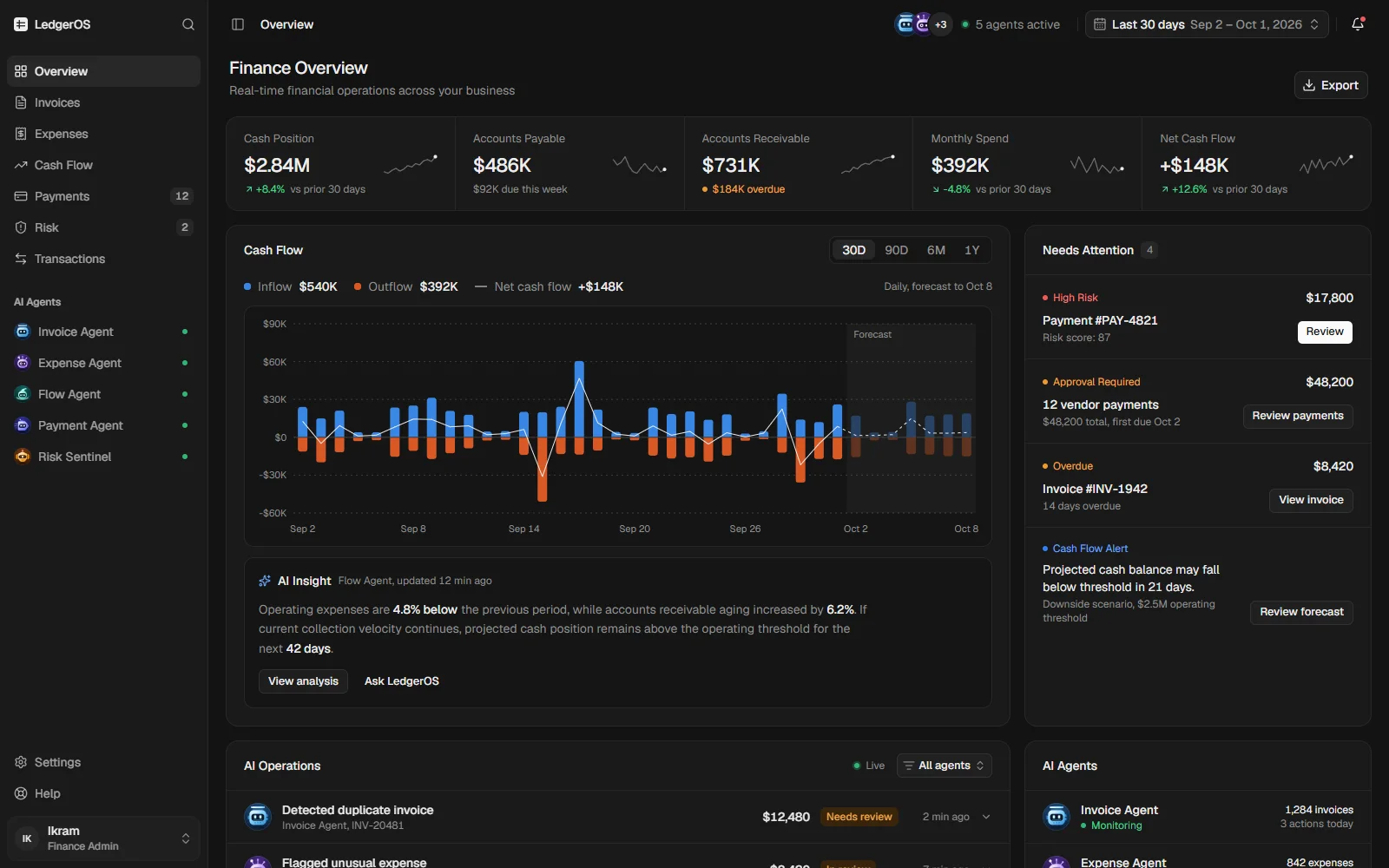
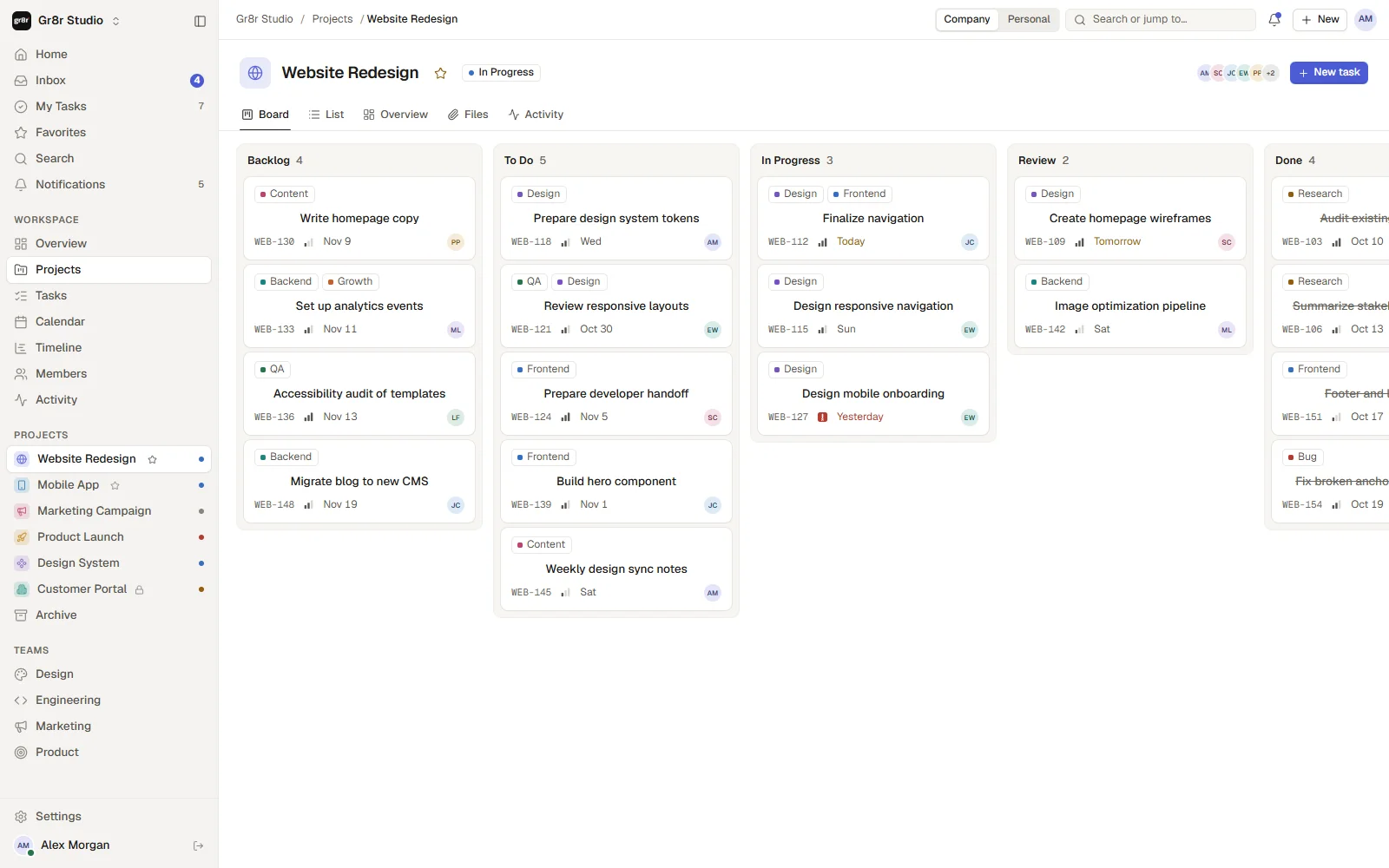
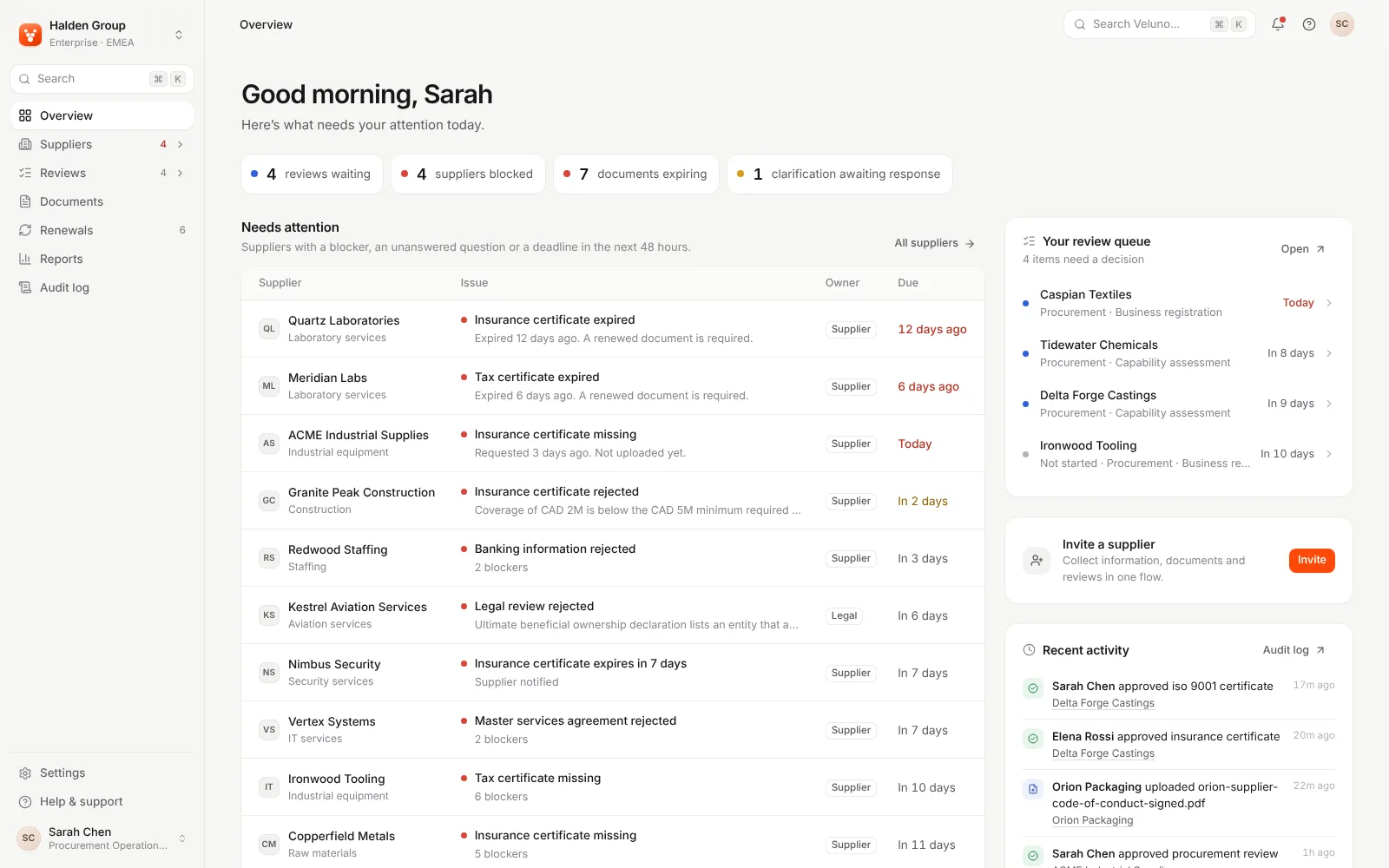
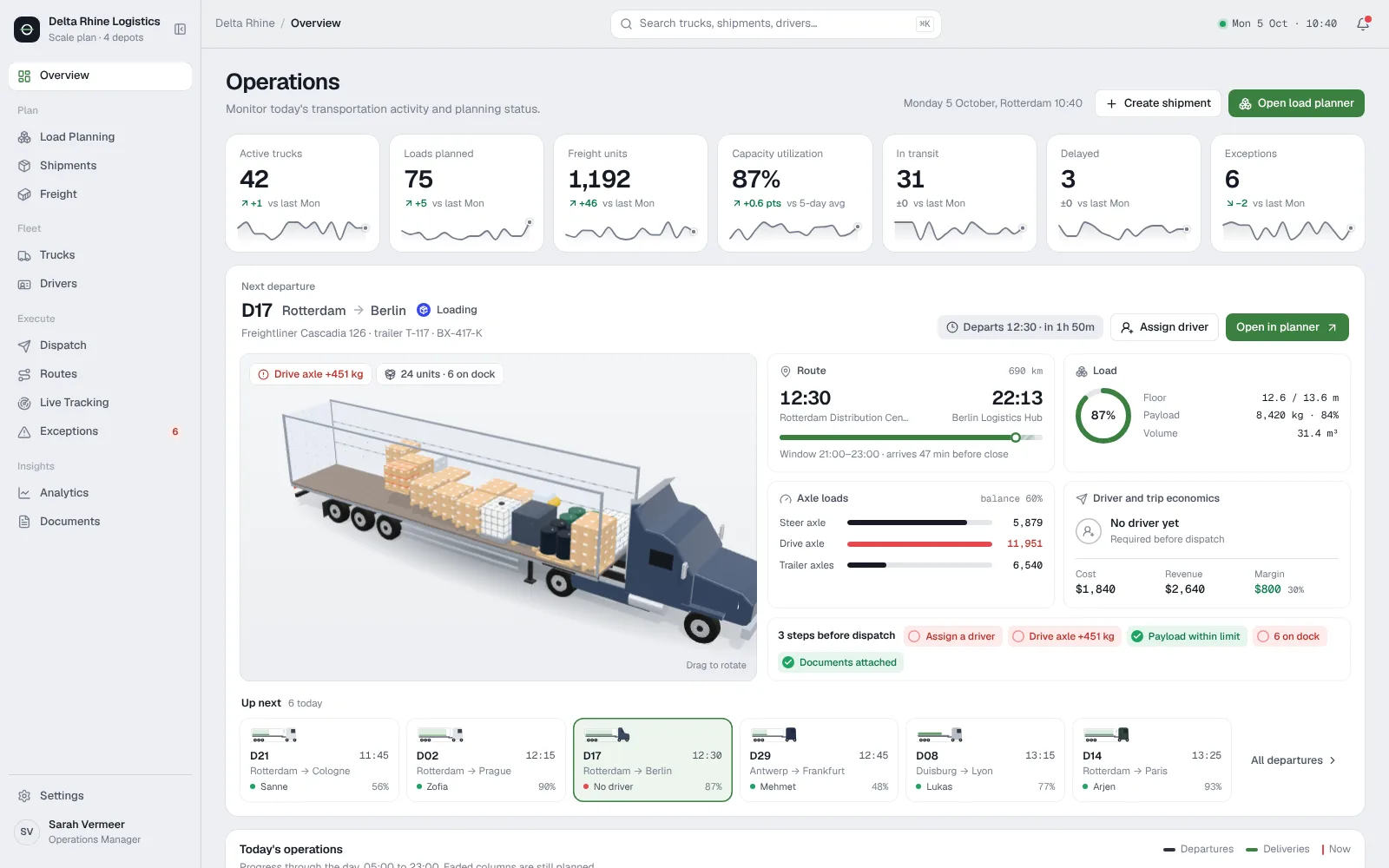
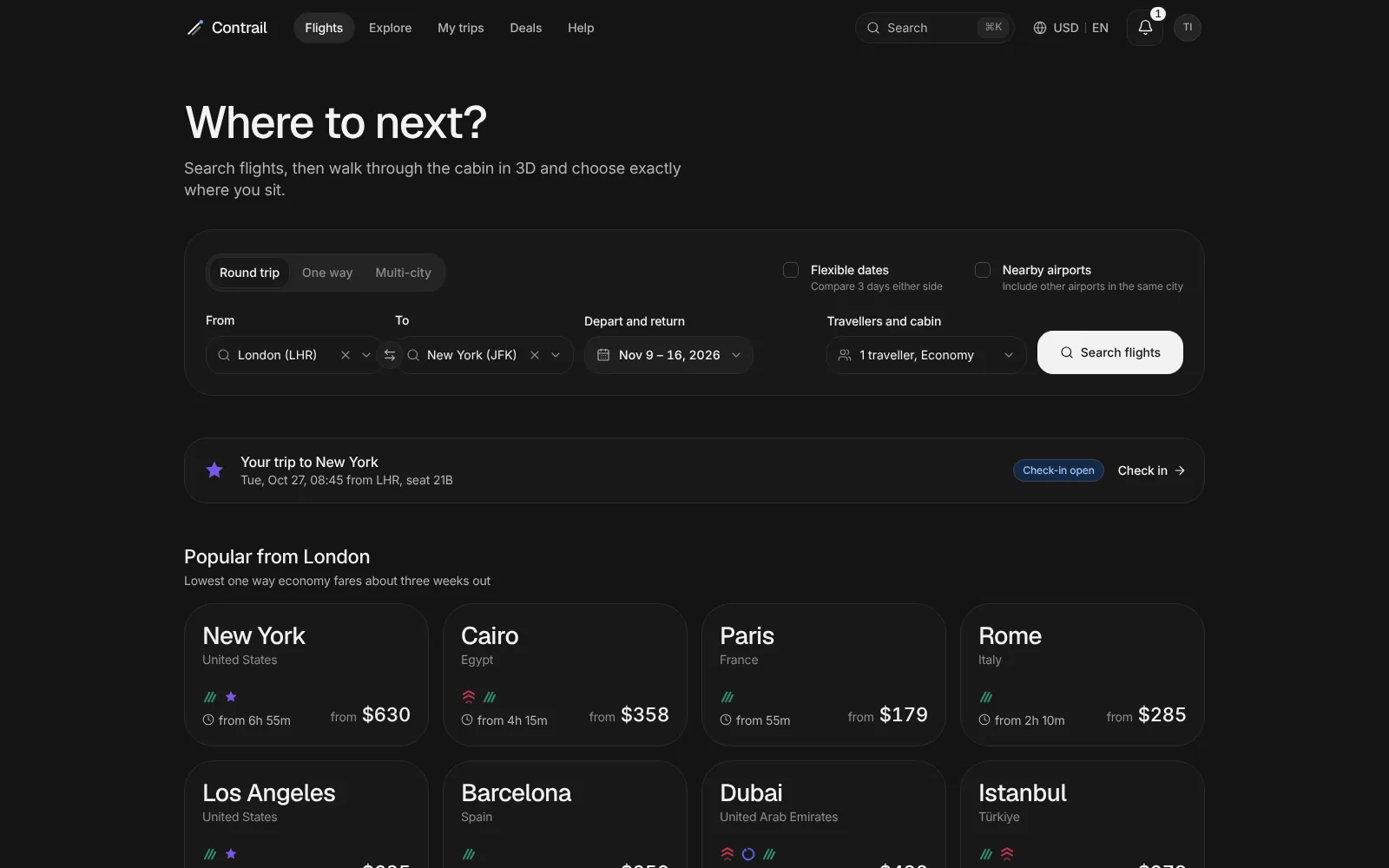
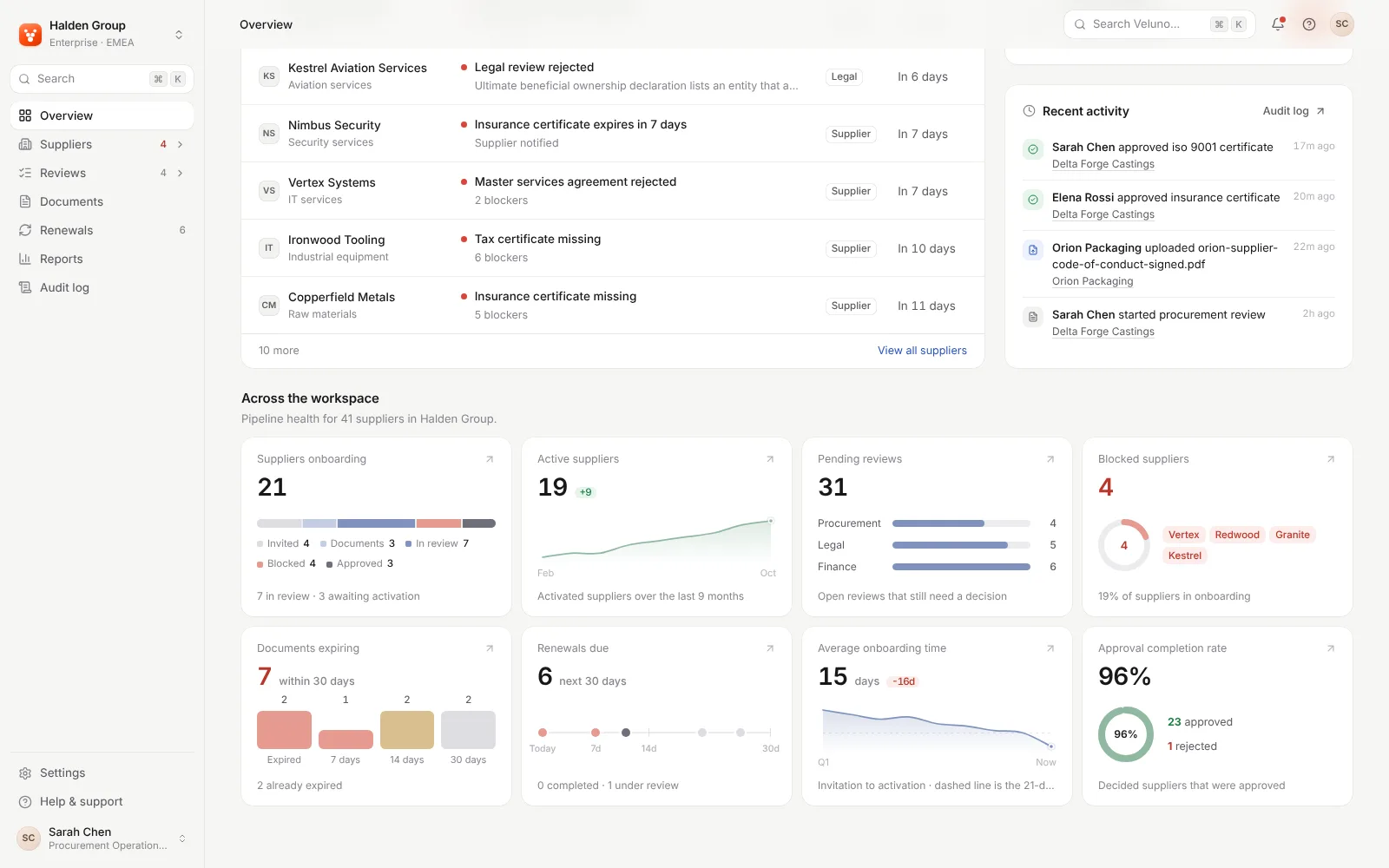
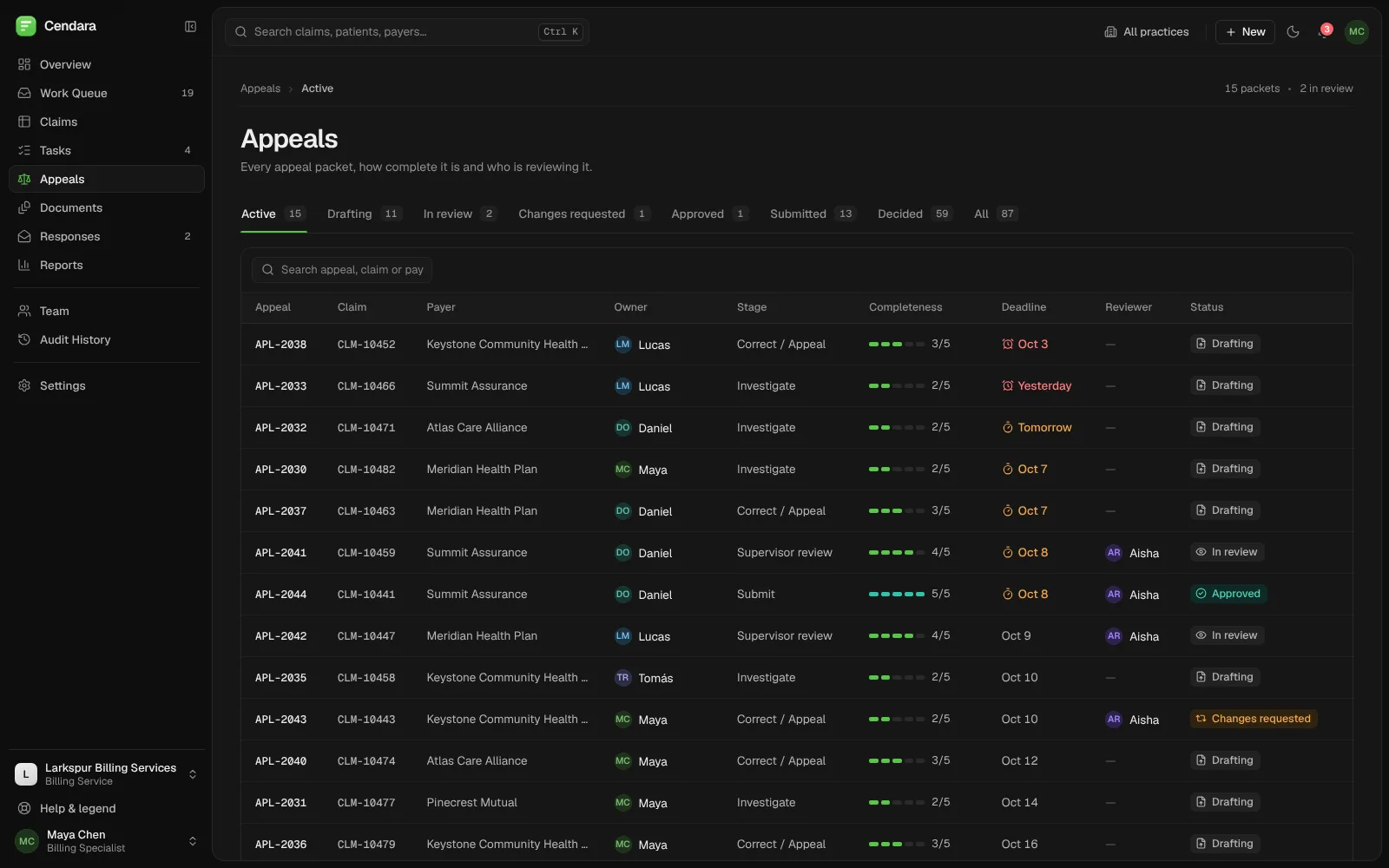
SellerOS: one clear workspace for marketplace sellers.
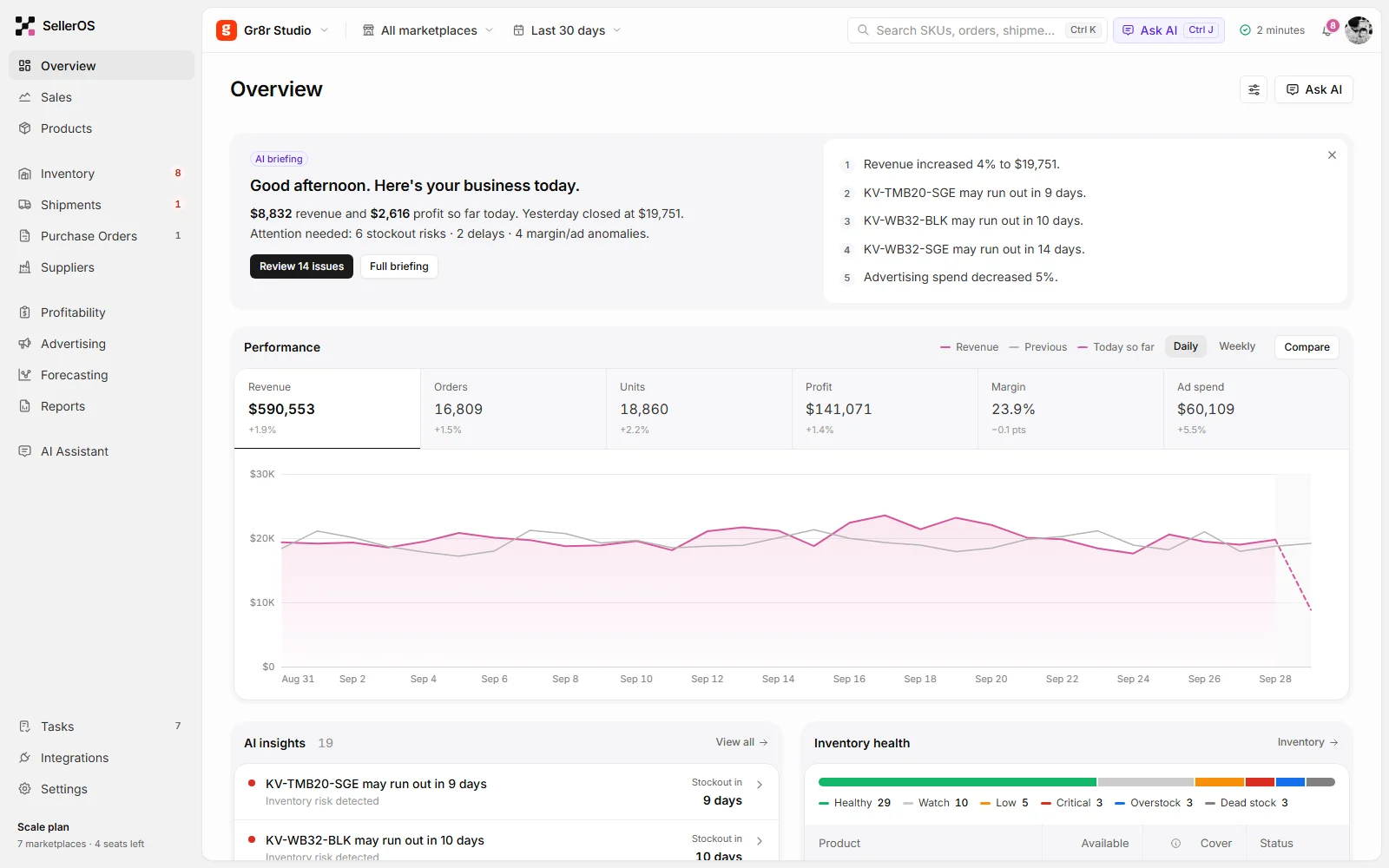
Sales, stock, shipments and profit across every marketplace in one place, with an AI briefing that says what needs attention today.
Built by Gr8r for its own portfolio. Not client work.
- Client
- SellerOS
- Project
- Commerce operations platform
- Platforms
- Web app, desktop and mobile
The problem
Make busy operations easier to navigate.
A seller running several marketplaces watches sales, stock, inbound shipments, ads and margins, usually in separate tools. Stockouts, delays and margin changes are easy to miss until they cost money. The product had to show what needs attention first, and explain why.
- 1
Problems surface too late
Stockouts, delays and margin changes show up in a report after they have already cost money.
“What should I fix first today?”
- 2
The data lives apart
Sales, stock, inbound shipments and ad spend sit in different marketplaces and spreadsheets, so one decision means many tabs.
“Where do I even look?”
- 3
Decisions need evidence
Reordering or moving stock is a money decision. Without the numbers behind it, it is a guess.
“How much should I reorder, and why?”
Problem map
Six themes behind the product.
Before designing screens, we grouped the problems a marketplace seller faces into themes, and gave each one a home in the product.
Stock
- Stockouts noticed too late
- Reorder size is guesswork
- FBA and warehouse stock split
Shipments
- Delays found by surprise
- No link from a delay to stock risk
- Inbound units hard to follow
Profit
- Margin changes go unseen
- Ad spend against profit unclear
- Fees differ by marketplace
Daily work
- Too many tabs to check
- No single place to start
- Tasks live away from the data
Trust in AI
- Why was this flagged?
- Which data was used?
- Who makes the call?
Team
- Who owns this SKU?
- Follow-ups get lost
- Handoffs happen in chat
Design hypotheses we built the product around, drawn from the product brief. Not interview data.
Information architecture
Fifteen areas, grouped by the job.
The sidebar groups the product by what the seller is doing, in the same order as the app.
Start
- Overview
- Sales
- Products
Stock & supply
- Inventory
- Shipments
- Purchase Orders
- Suppliers
Money & planning
- Profitability
- Advertising
- Forecasting
- Reports
AI
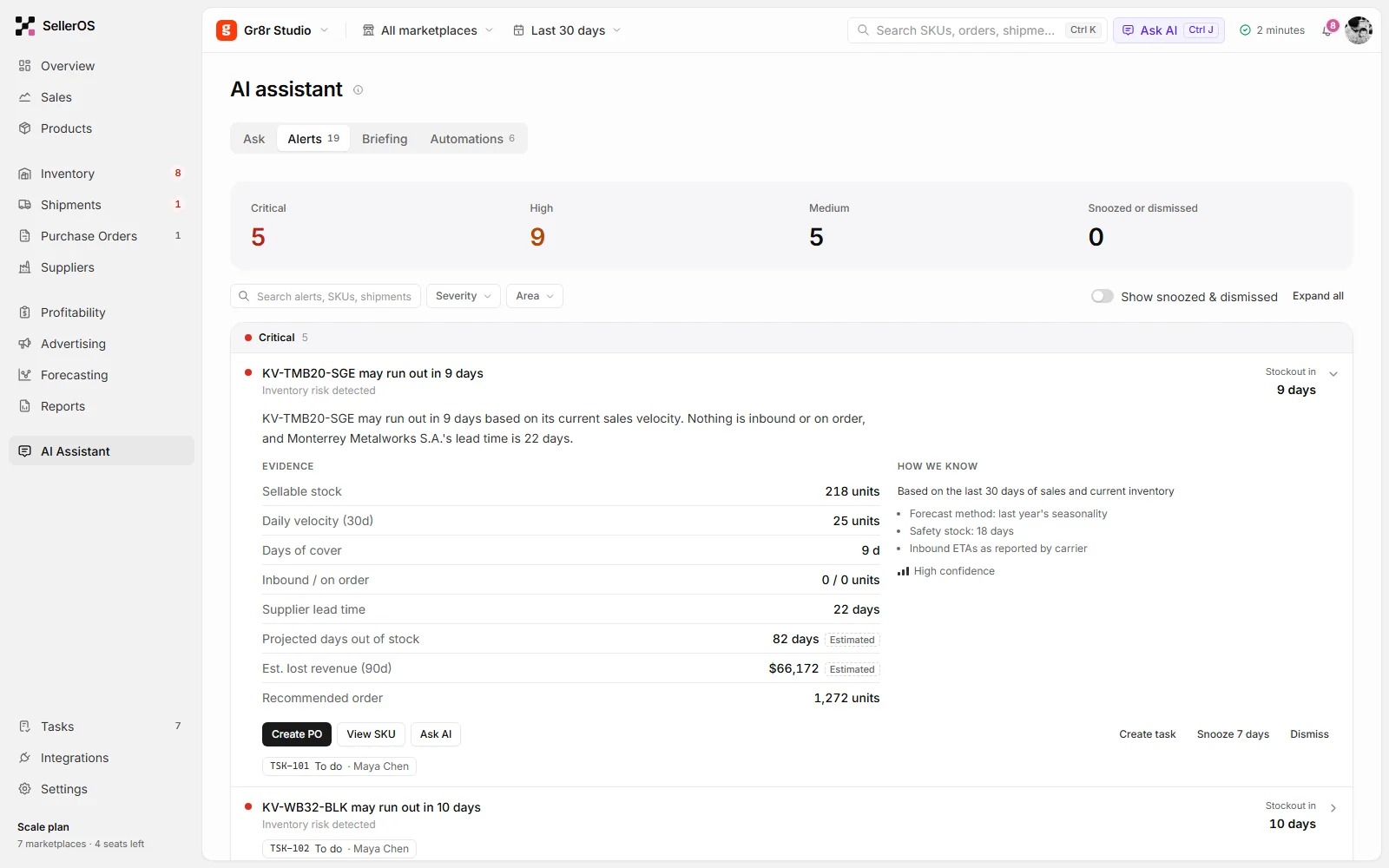
- AI Assistant: Ask, Alerts, Briefing, Automations
Team & setup
- Tasks
- Integrations
- Settings
The workflow
One clear path from alert to action.
- 1
Briefing
See today's numbers and what needs attention.
- 2
Review
Open an alert and check the evidence behind it.
- 3
Act
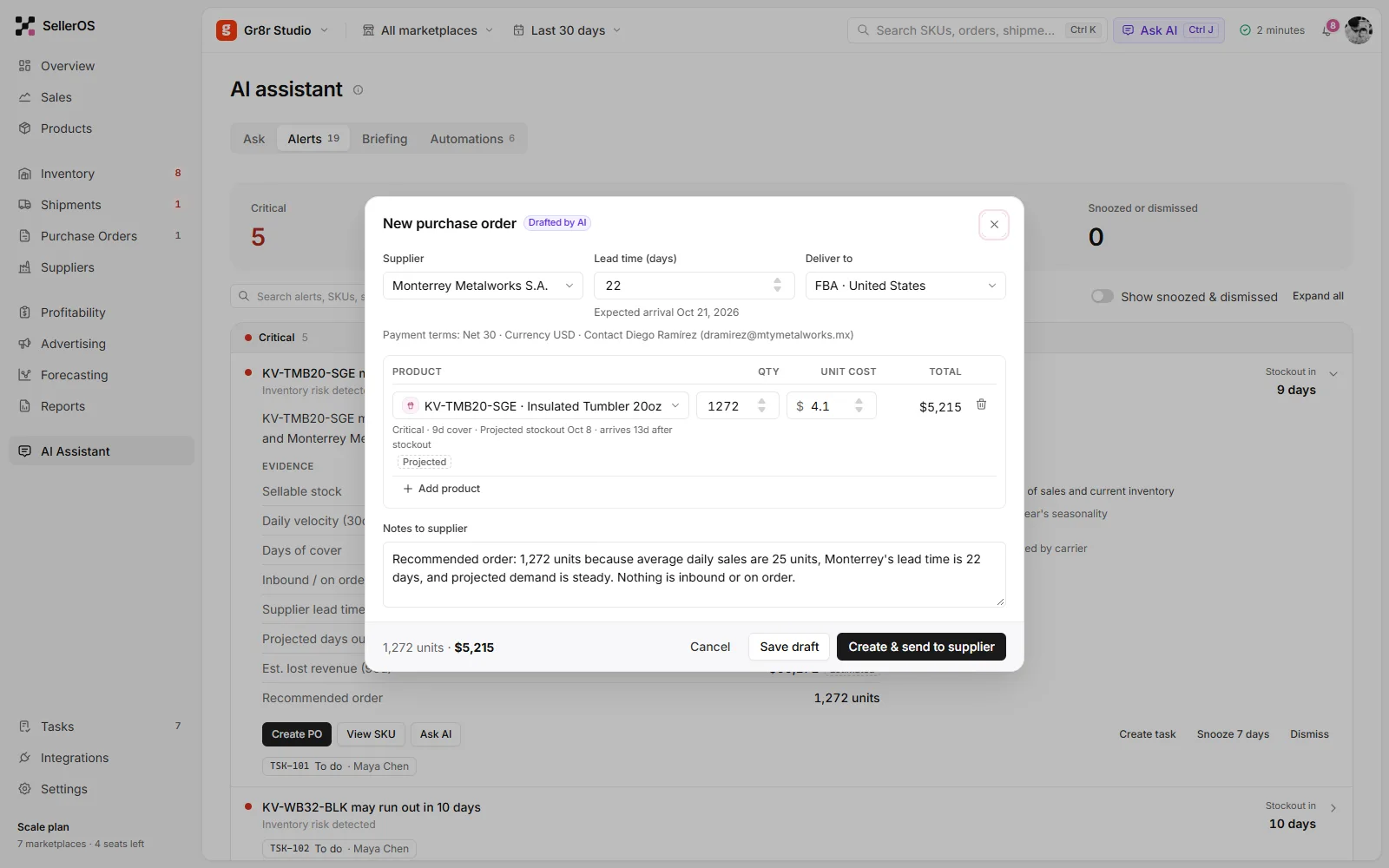
Create a PO or transfer stock straight from the alert.
- 4
Follow up
Track it as a task and through the shipment.
The product
Built around the work, not the screens.
Four parts of the interface carry most of the day. Each keeps the overview calm and puts the detail one step away.
- Inventory
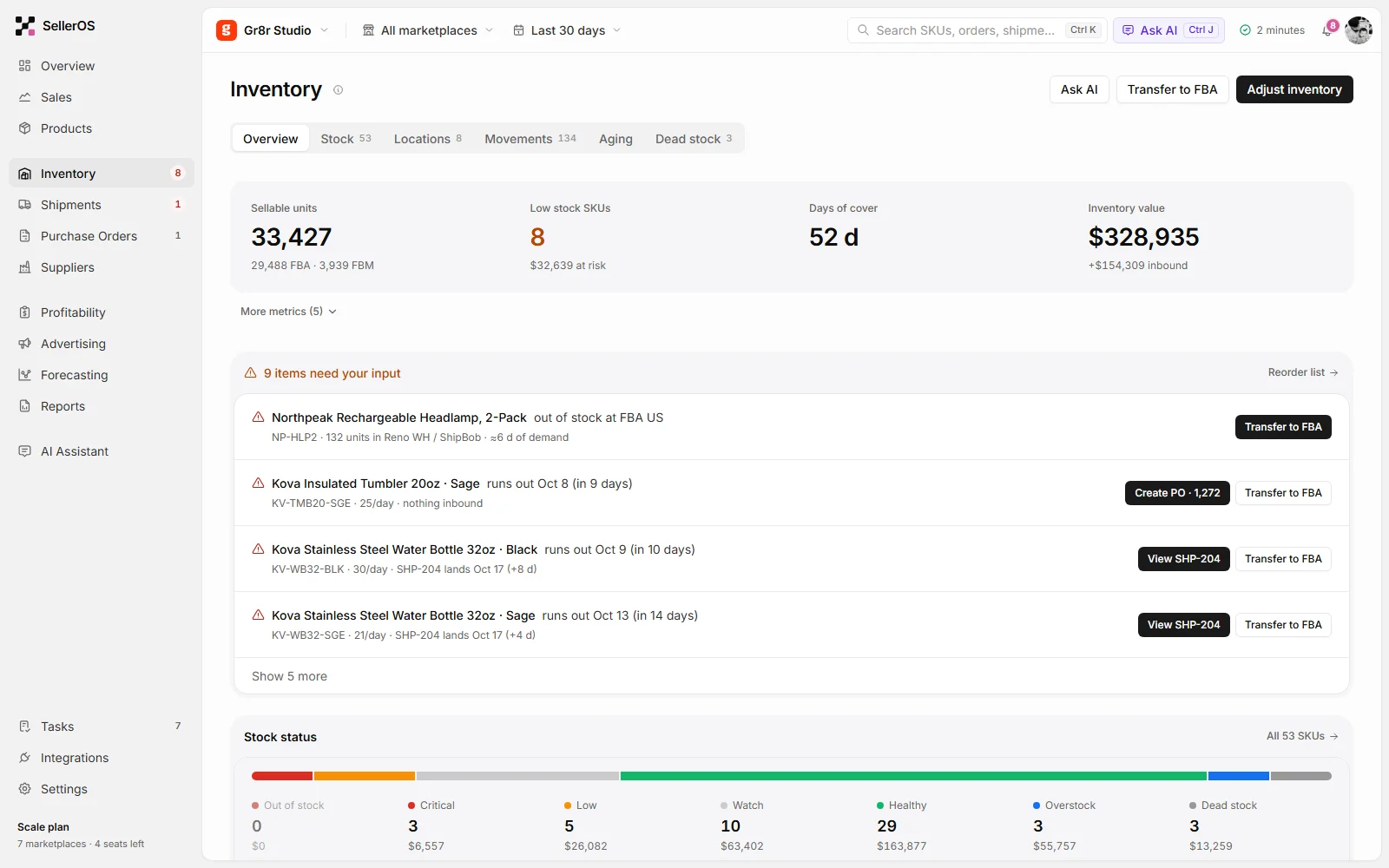
Items that need your input
Stock problems arrive as a short list, each with the action that fixes it: create a PO or transfer to FBA.
- Details
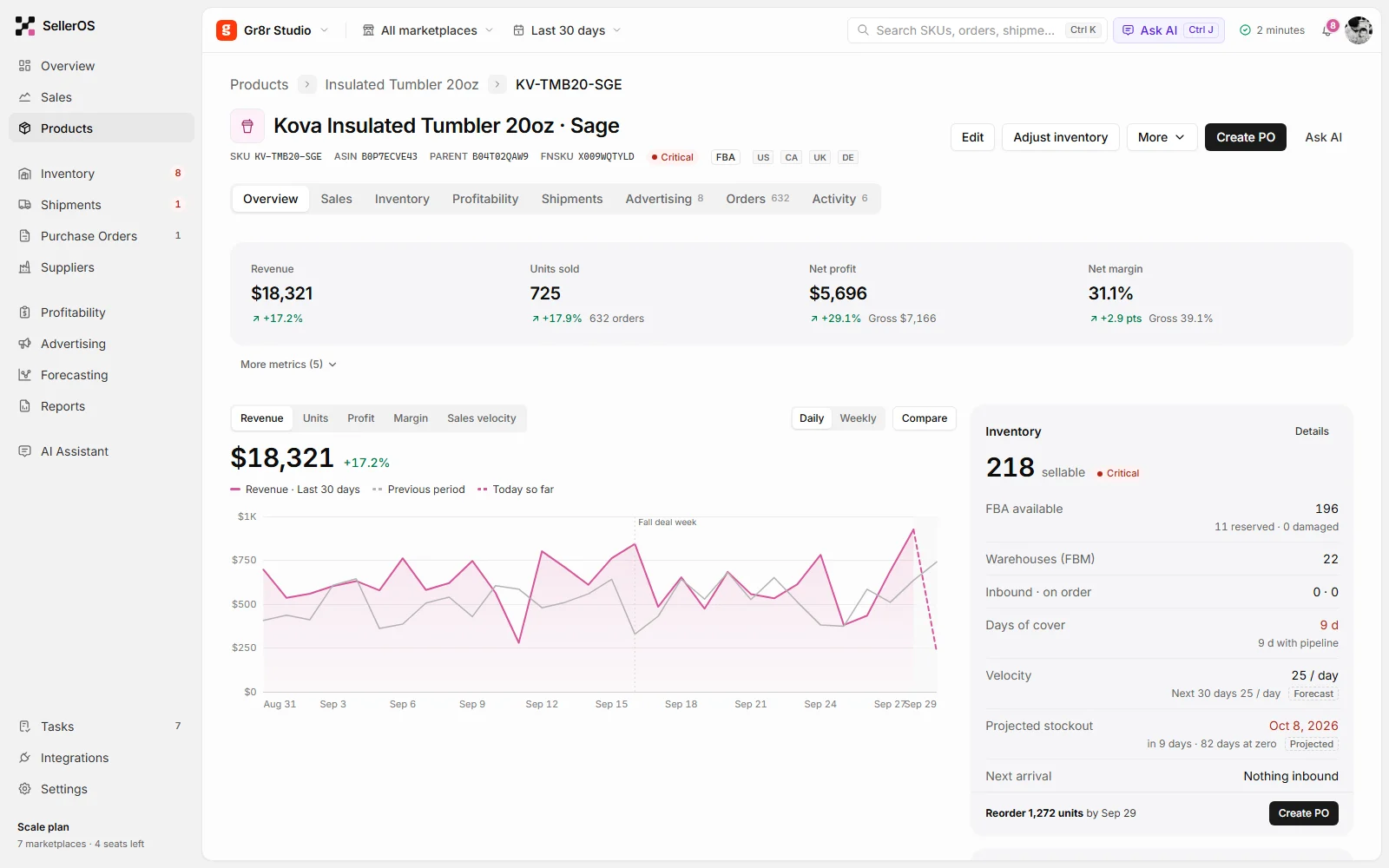
Everything about one product
Revenue, margin, stock and the projected stockout date on one page, with the reorder already worked out.
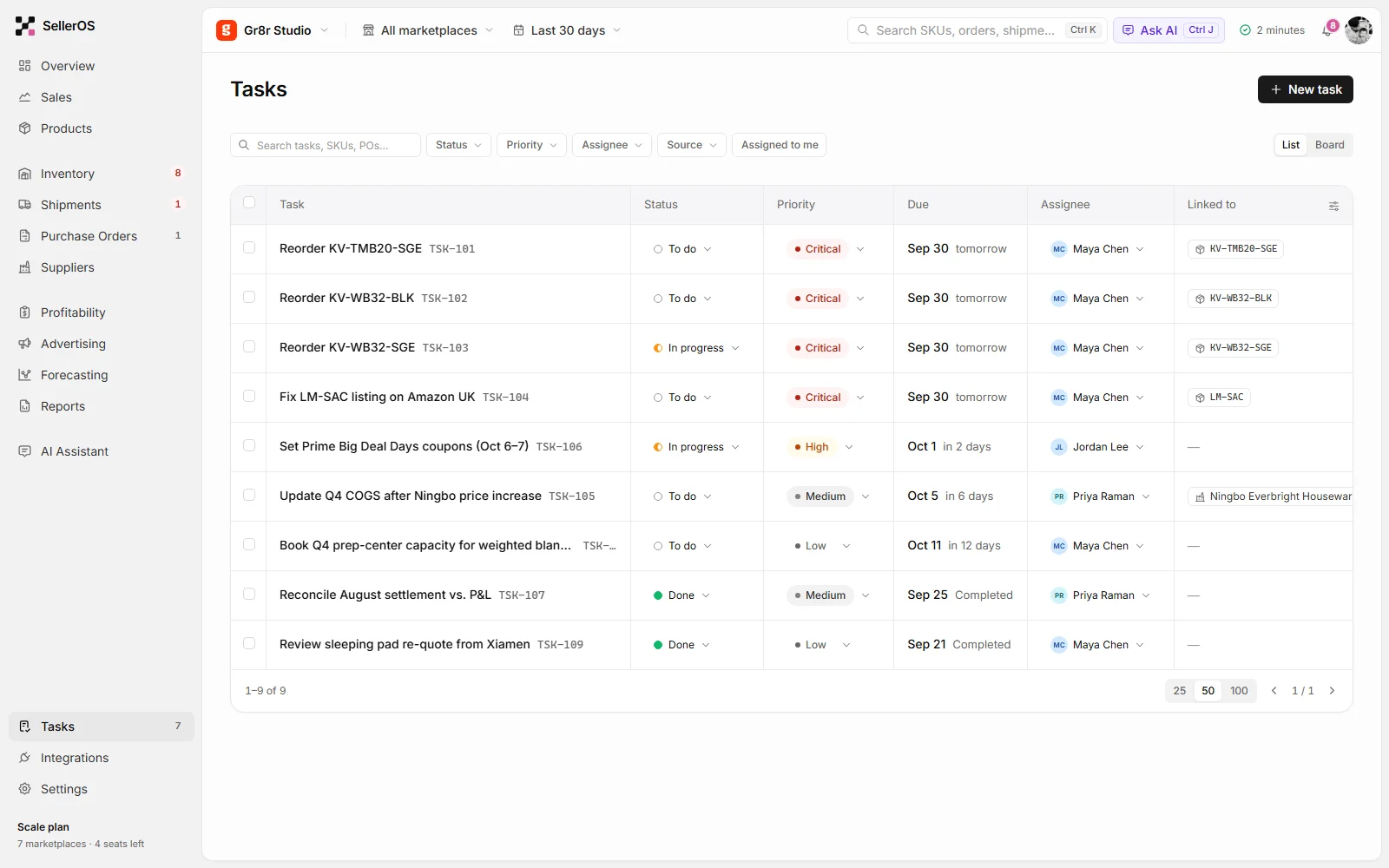
- Tasks
Work everyone can see
Tasks link to the SKU or supplier they are about, with owner, priority and due date.
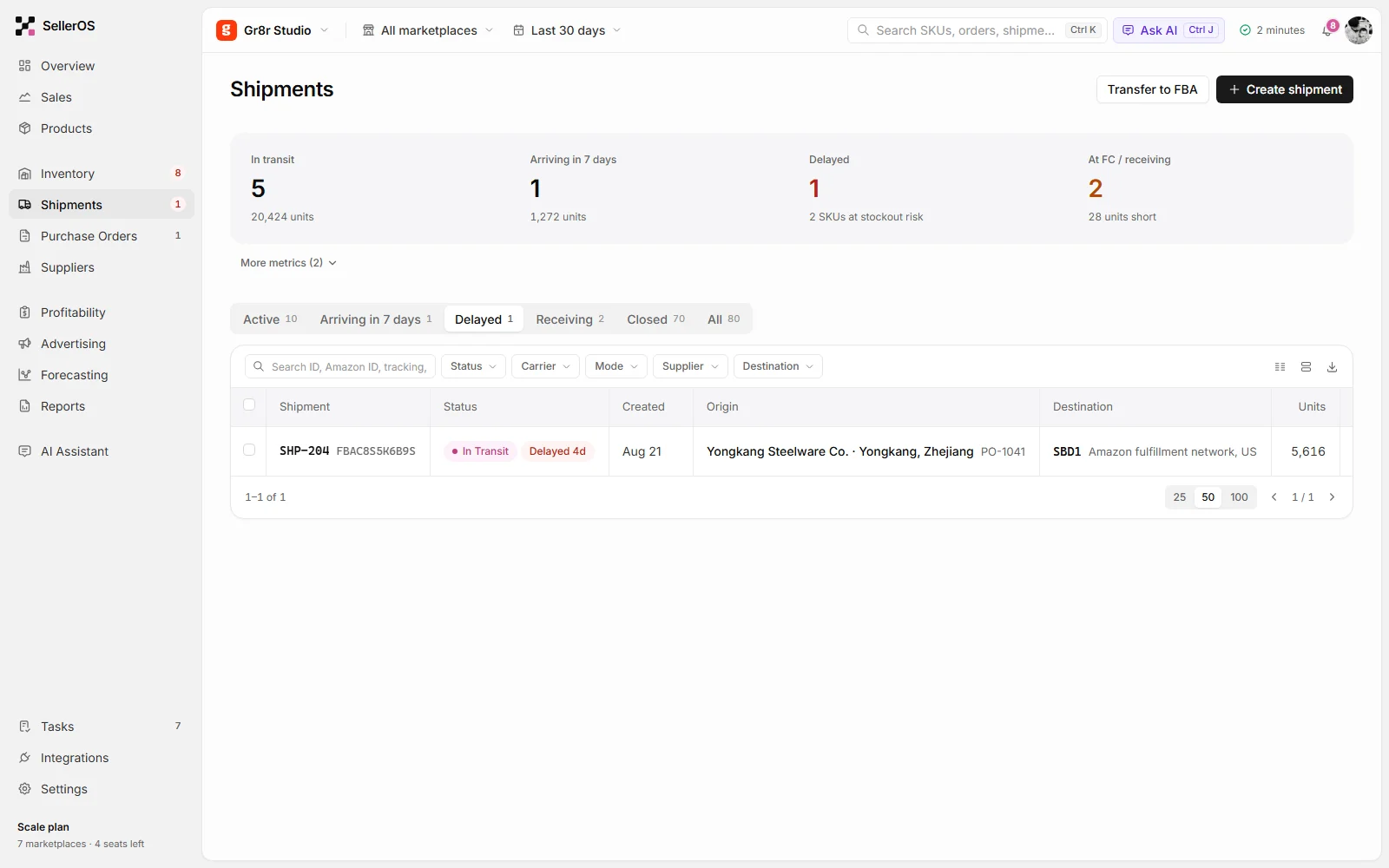
- Shipments
Delays that stand out
Shipments filter by status, so a delayed container and the stock it puts at risk are visible at once.
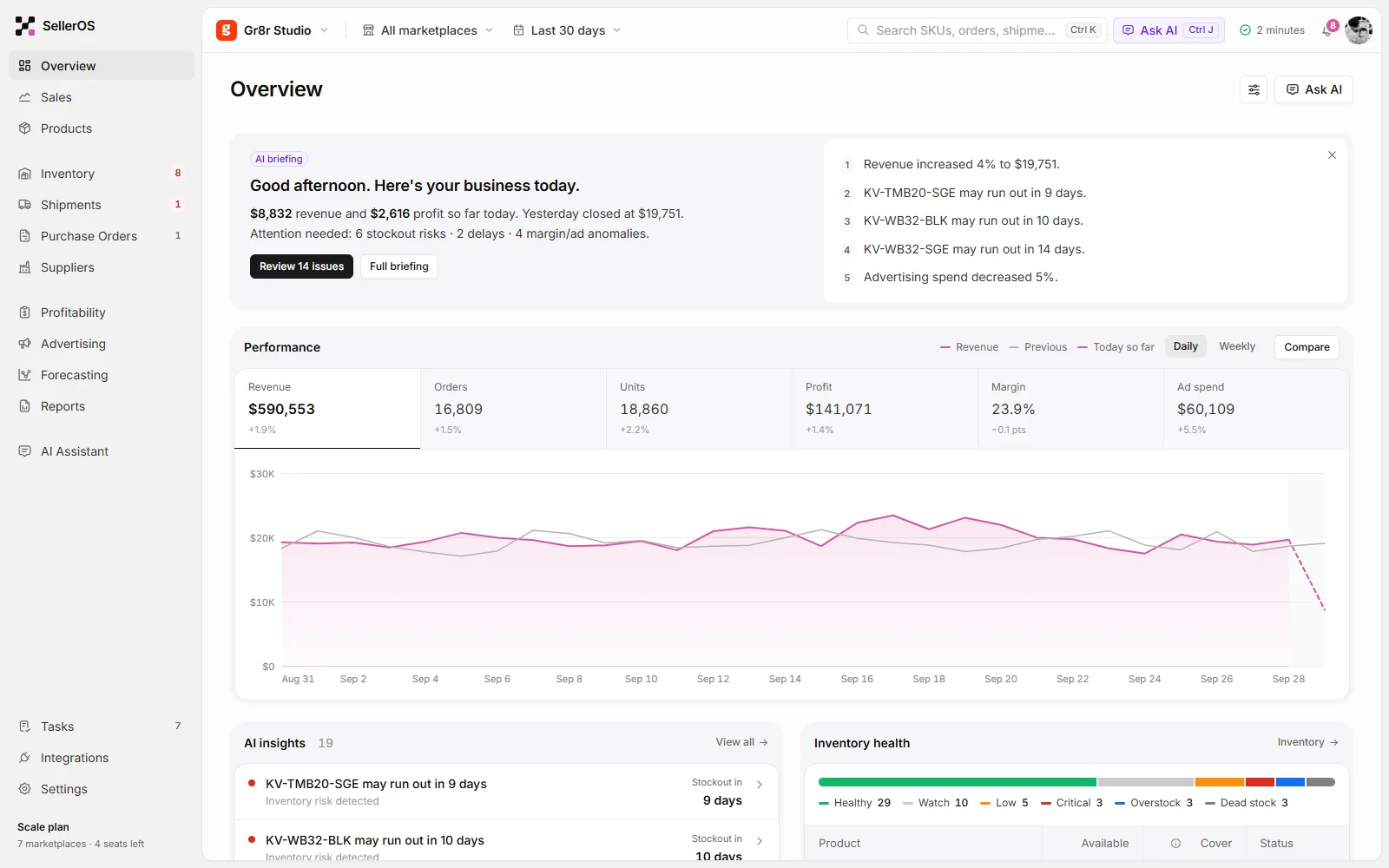
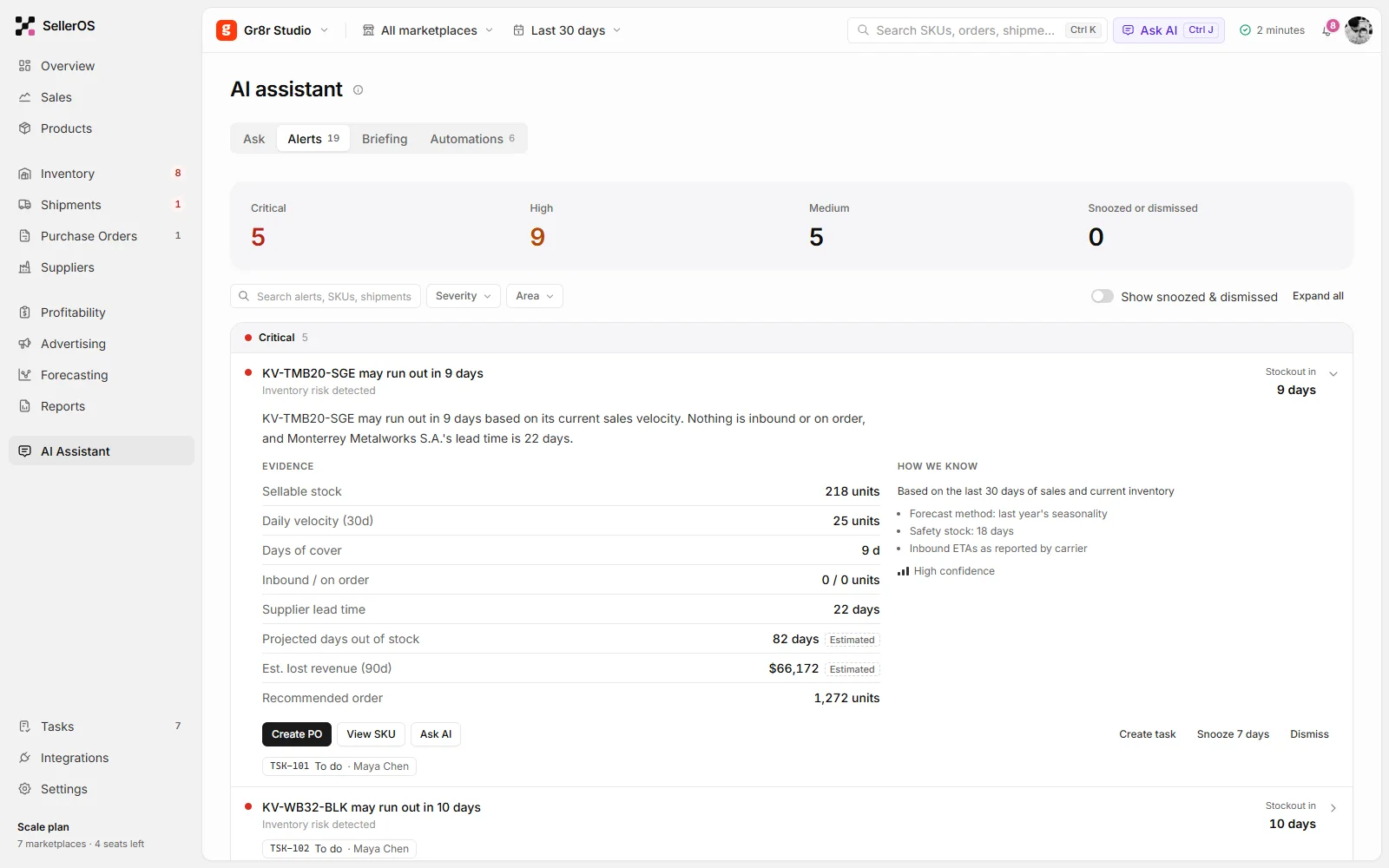
Interaction
From a briefing to a purchase order.
One real path through the product, captured frame by frame.
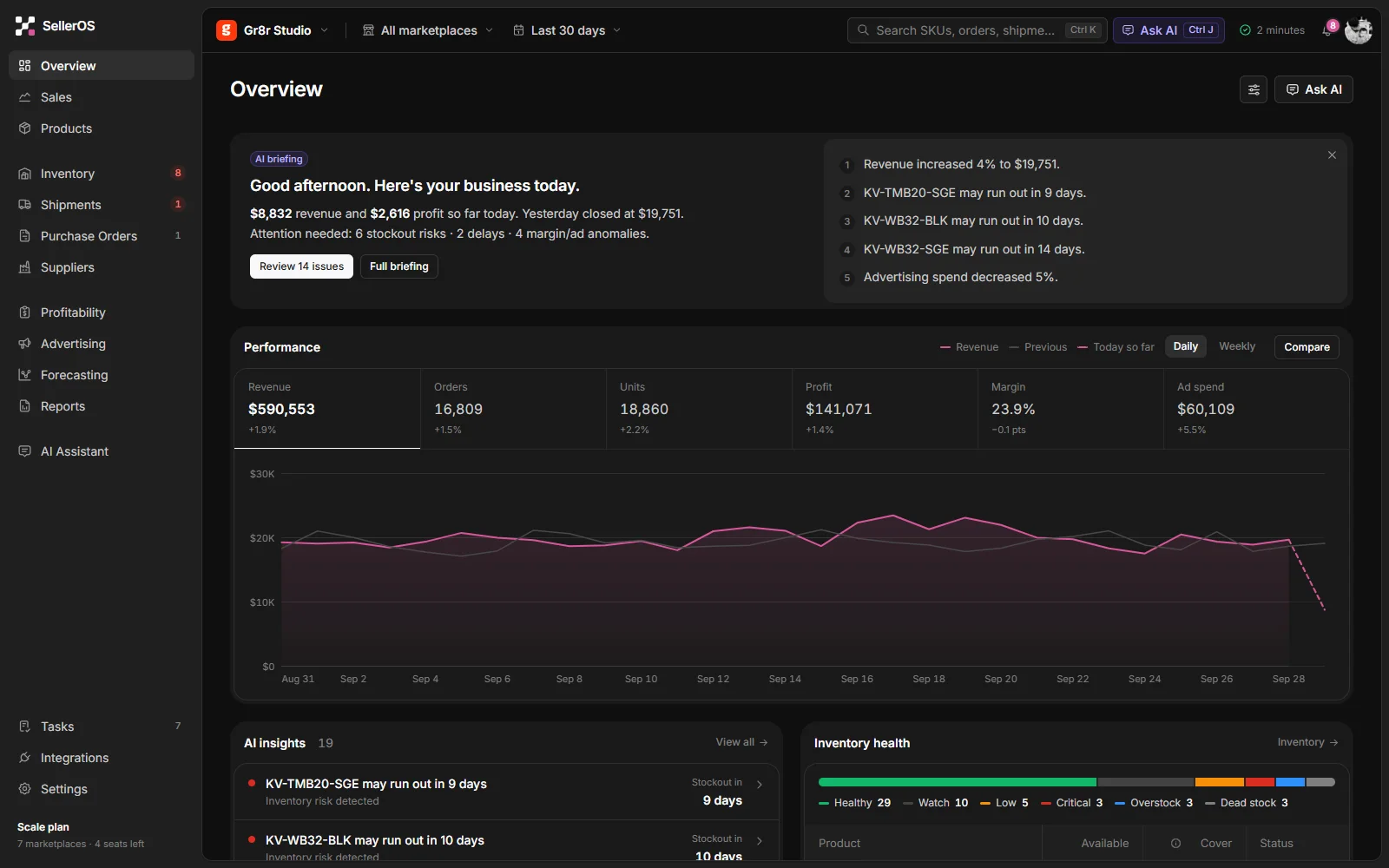
Light and dark
Built for both themes.
Every screen ships in light and dark from one set of design tokens. Drag to compare.
Style guide
Colour and type.
Read from the product's own design tokens: one brand colour, neutral surfaces, and status colours kept for meaning.
Brand
HEX #D6579A
--brand
AI
HEX #5925DC
Text strong
#0D0D0D
--text-strong
Background
#FCFCFC
--bg-default
Sidebar
#F2F2F3
--sidebar-bg
Success
#12B76A
--surface-success
Warning
#F79009
--surface-warning
Error
#D92D20
--surface-error
Inter
- Regular
- Medium
- SemiBold
Every screen
The full product, desktop and mobile.
Real screens from the live demo, with demo data.
Inventory Product detail AI alerts 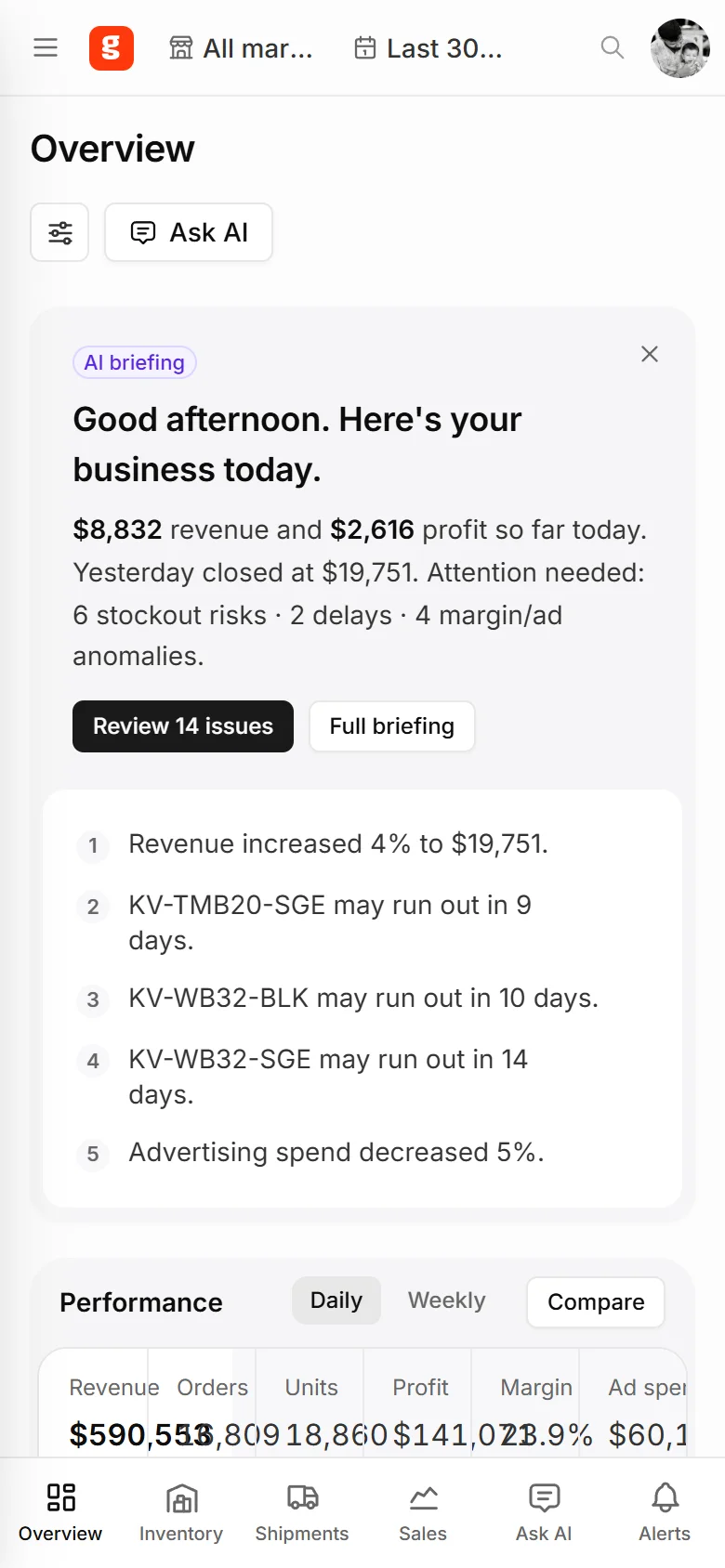
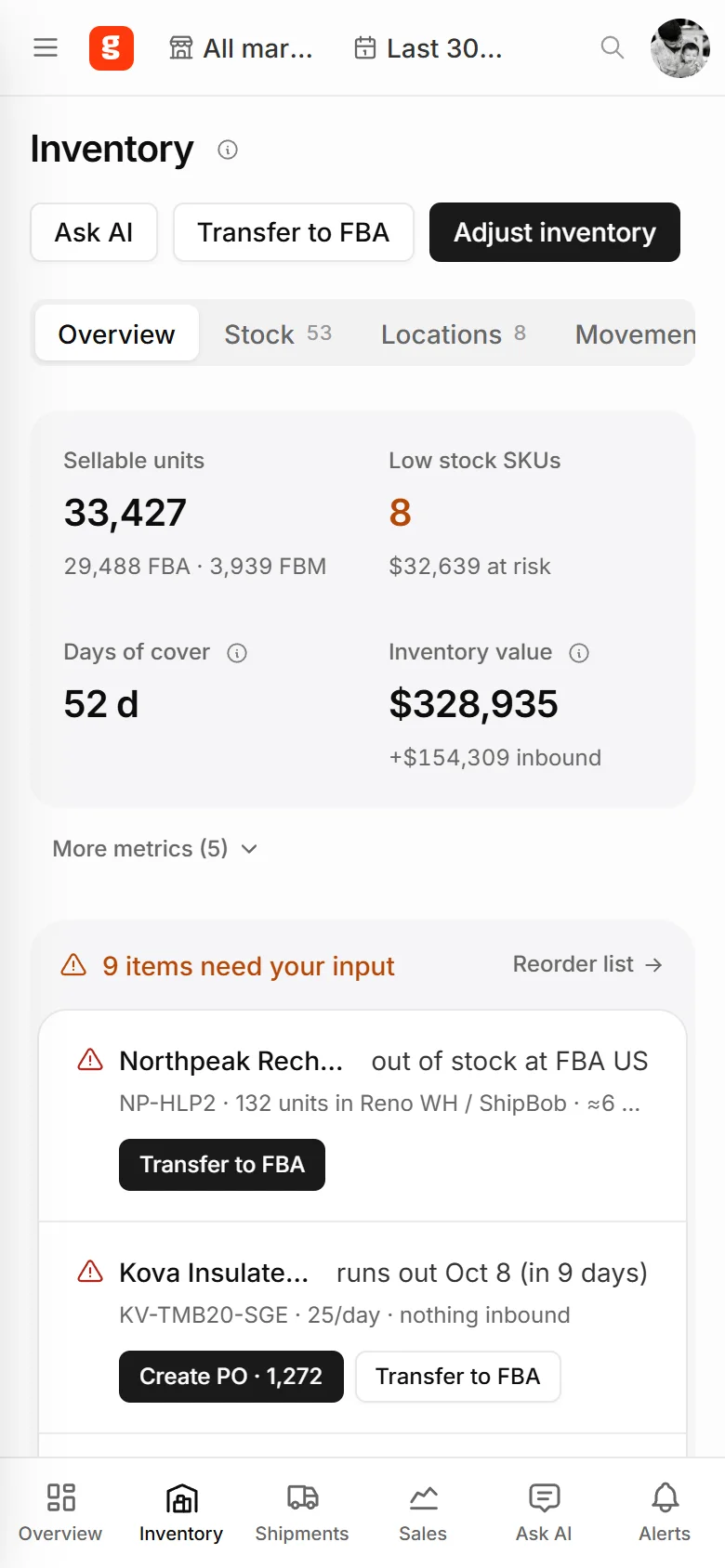
Overview on mobile · Inventory on mobile 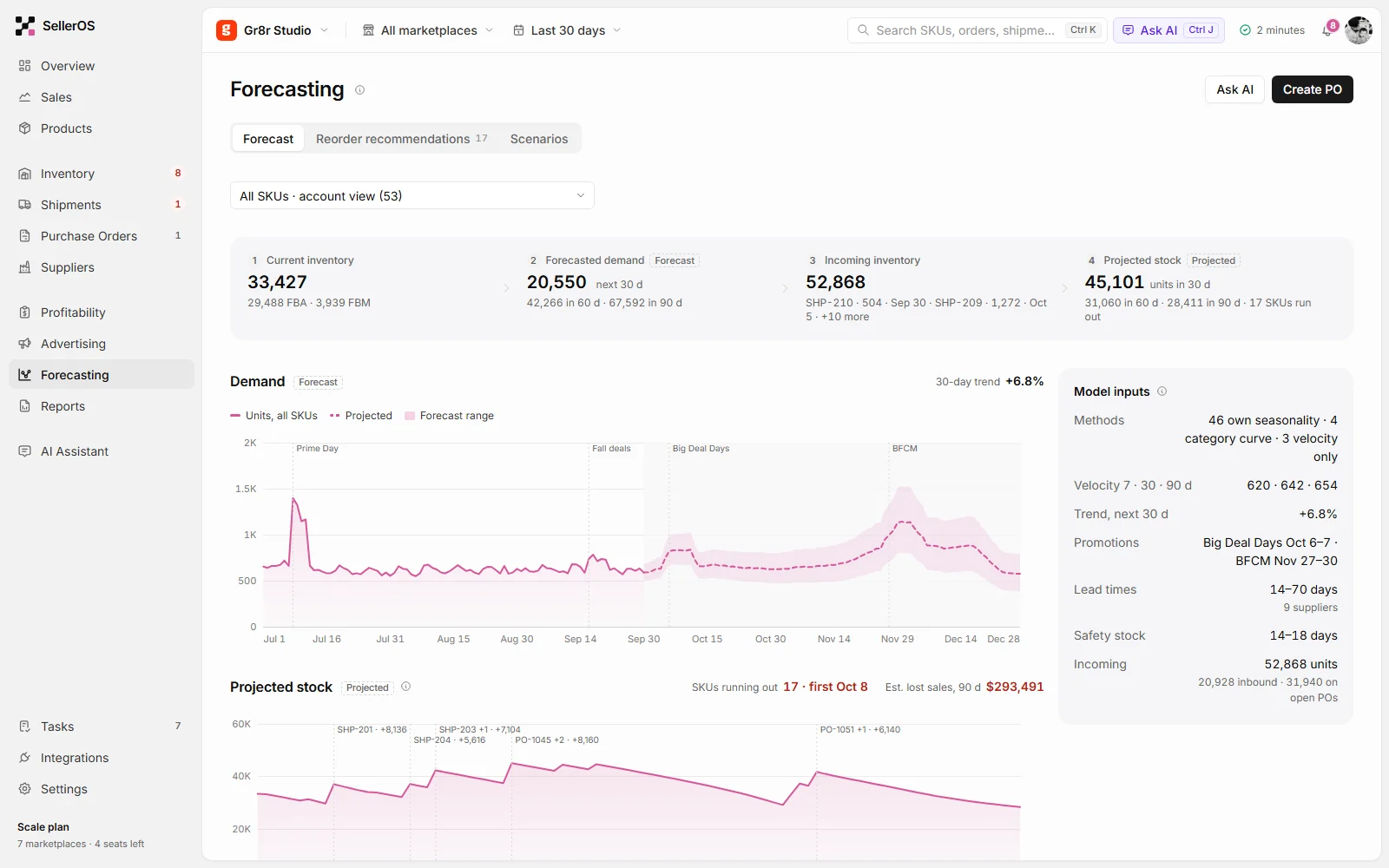
Forecasting 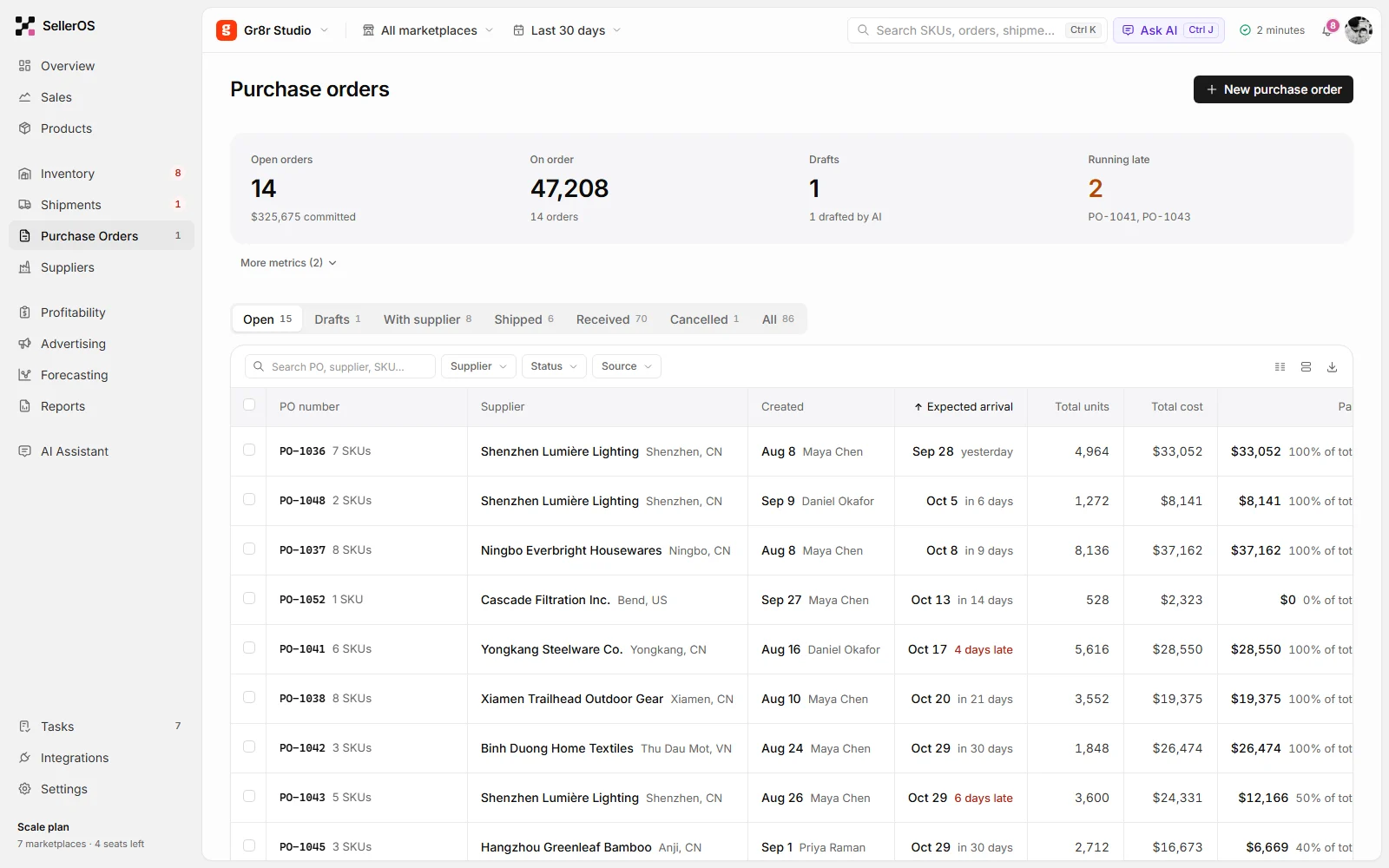
Purchase orders 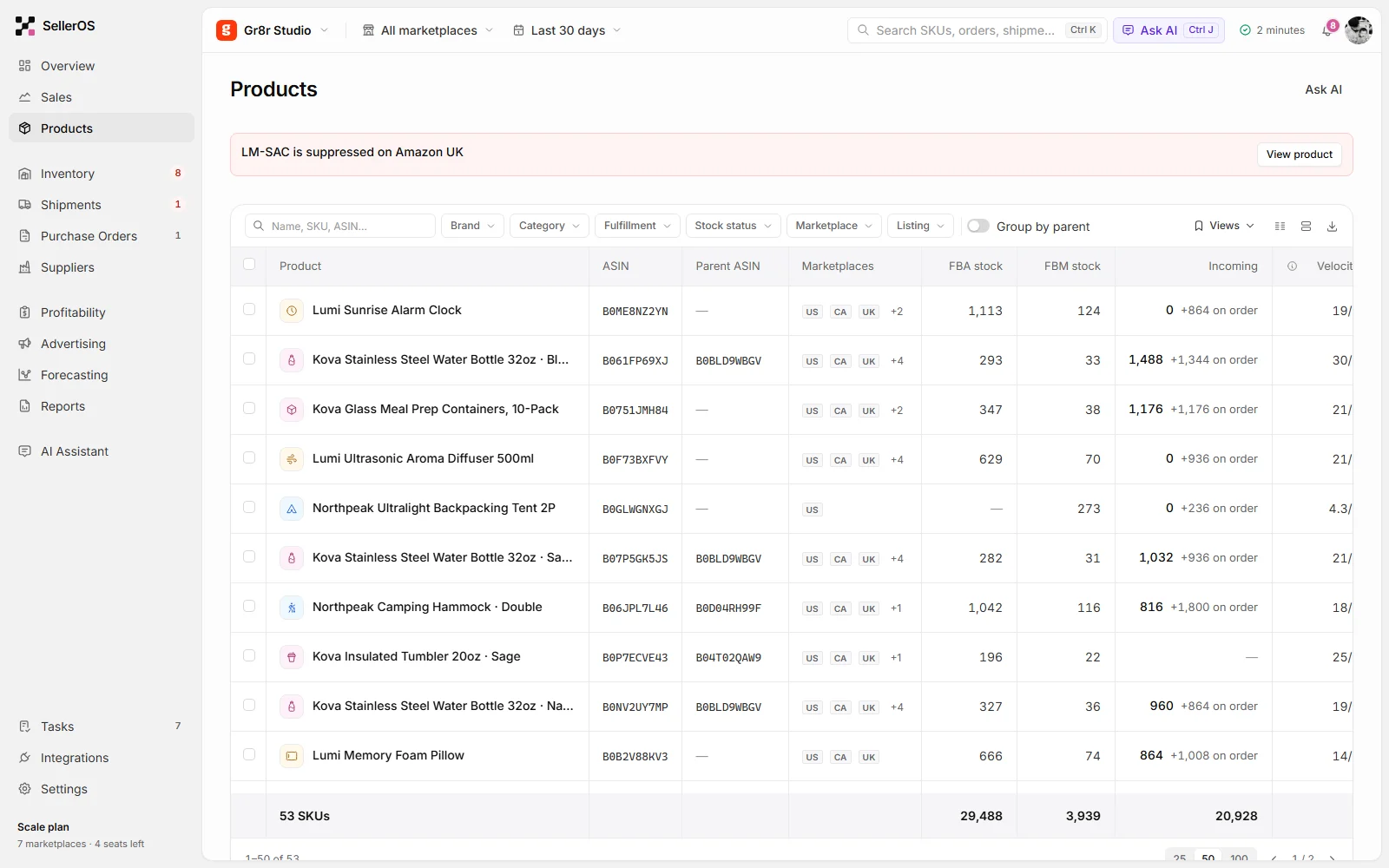
Products
Engineering
Dependable behaviour behind every screen.
The interface works across marketplaces, warehouses and suppliers: search and filters on every list, alerts that carry their evidence, and actions that create linked records. Add the stack and integration details once your engineer confirms them.
- Multi-marketplace views
- Search & filters on every list
- Alerts with evidence
- Tasks linked to SKUs and suppliers
Outcomes
Designed for a more connected workflow.
What the product demonstrably does. Measured business results will be added only with evidence and approval.
One daily briefing
Today's numbers and issues in a single view, across marketplaces.
Evidence behind every alert
Each alert shows its data, method and confidence before you act.
From alert to action
Purchase orders, transfers and tasks start from the alert itself.