Custom AI or Off the Shelf Tools for Your Workflow?

Tanjim Islam
Founder & CEO · · 7 min read


This post gives you a buy or build answer for one workflow at a time. It does not name or rank tools; those comparisons live on our compare pages. It gives you the three paths, the signs for each, a cost worksheet and a checklist you can take into a meeting.
Should you buy an AI tool or build your own?
Buy first, unless one of four signs says otherwise. The signs are below.
Picture two workflows in the same company. The first is meeting notes: every team in the world takes them the same way. The second is how your underwriters read a broker's submission and price a risk. That one is your company. The first is a buy. The second might be a build.
MIT Sloan, reporting on research by Nick van der Meulen and Barbara Wixom of MIT CISR, splits the choice into three paths: buy, boost and build. Buying "allows for quick adoption without having to invest in development or fine-tuning." Building "gives companies the most control and competitive differentiation, but it is also expensive and difficult" (MIT Sloan, Buy, boost, or build? Choose your path to generative AI, 17 Sep 2025, fetched 25 Oct 2026).
What do buy, boost and build mean for one workflow?
Buy means a ready tool the vendor runs, boost means a ready model fed with your own data, and build means your own workflow and screens around a model.
| Path | What you get | What you give up |
|---|---|---|
| Buy | A ready tool the vendor runs and updates | Fit, and control over when it changes |
| Boost | A ready model fed with your documents or data | Higher running costs and data work |
| Build | Your own workflow, screens and logic around a model | Time and money up front, plus upkeep |
MIT Sloan notes that boosting "provides more accurate and relevant results but also increases prompt lengths and usage costs." It also "requires strong data governance, robust validation processes, and a tolerance for ongoing operational expenses."
Build rarely means training a model from scratch. In practice it means building the workflow around a model: the intake, the rules, the review screen, the links into your systems. MIT Sloan says the same thing at company scale: building from scratch "is expensive and difficult, so many companies stick with fine-tuning or adapting open-source foundational models instead."
When is off the shelf AI the right call?
When these are true:
- The workflow is common. Writing help, meeting notes, translating a document. Thousands of companies do it the same way.
- Speed matters more than fit. You need something working this month.
- The data is low risk. Nothing you would be upset to see sit on a vendor's servers.
- A wrong answer is cheap. Someone reads the output before it goes anywhere.
The catch is that someone else holds the steering wheel. MIT Sloan warns that "if vendors plan to discontinue a version or push a major update, organizations may suddenly need to rework processes or offerings that rely on that solution."
When does custom AI make more sense?
Four signs, and one is usually enough.
- The workflow is how you win. If a competitor can buy the same tool and get the same result, it cannot be your edge.
- It touches several of your own systems. Your CRM, your old database, your pricing sheet. Ready tools stop at their own edges, and your team ends up copying and pasting between them.
- Your rules are unusual. Approval limits, exceptions, a review step only your industry has.
- You must own it. Investors, regulators or your own plans need the code, the prompts and the data in your hands.
Google's People + AI Guidebook adds a check before either path: "It's important to question whether adding AI to your product will improve it" (Google PAIR, User Needs + Defining Success, fetched 25 Oct 2026). Sometimes the answer for a workflow is plain rules, which you can read about in RPA vs AI automation.
How do you compare the cost over three years?
Compare the full three years, not the first invoice. Ready tools look cheap in month one and grow with seats and usage. Custom work costs more up front and then mostly costs upkeep and model calls.
Fill in this worksheet with your own quotes. We give no numbers here because yours will differ.
| Cost line | Buy | Boost | Build |
|---|---|---|---|
| Setup and build | |||
| Seats or licences per year x 3 | |||
| Model or usage fees per year x 3 | |||
| Staff time copying data between tools x 3 | |||
| Upkeep and fixes per year x 3 | |||
| Cost to leave (export, rework) | |||
| Three year total |
Two rows people skip. "Staff time copying data" is the hidden cost of a ready tool that does not connect to your systems. "Cost to leave" is what you pay if the vendor raises prices, changes the product or shuts down.
What does this look like on a real workflow?
Here is an illustration, not a real client. A 40 person freight broker wants help with load quotes. Customers email lane details in every format you can imagine. A rep reads the email, checks a rate sheet, looks up carrier history in an old database and replies with a price.
Run the four signs:
- How they win? Yes. Fast, accurate quotes are the business.
- Touches several systems? Yes. Inbox, rate sheet, old database.
- Unusual rules? Yes. Margins differ by customer and lane.
- Must own it? Probably. The pricing logic is the company's know how.
So the quote workflow is a build. The same broker should still buy a ready tool for writing help and meeting notes. One company, two answers.
Freight is a sector Gr8r builds in for itself. Loadline is a 3D load planning and transportation operations SaaS. Built by Gr8r for its own portfolio. Not client work. It sits behind a login, so there is no link here.
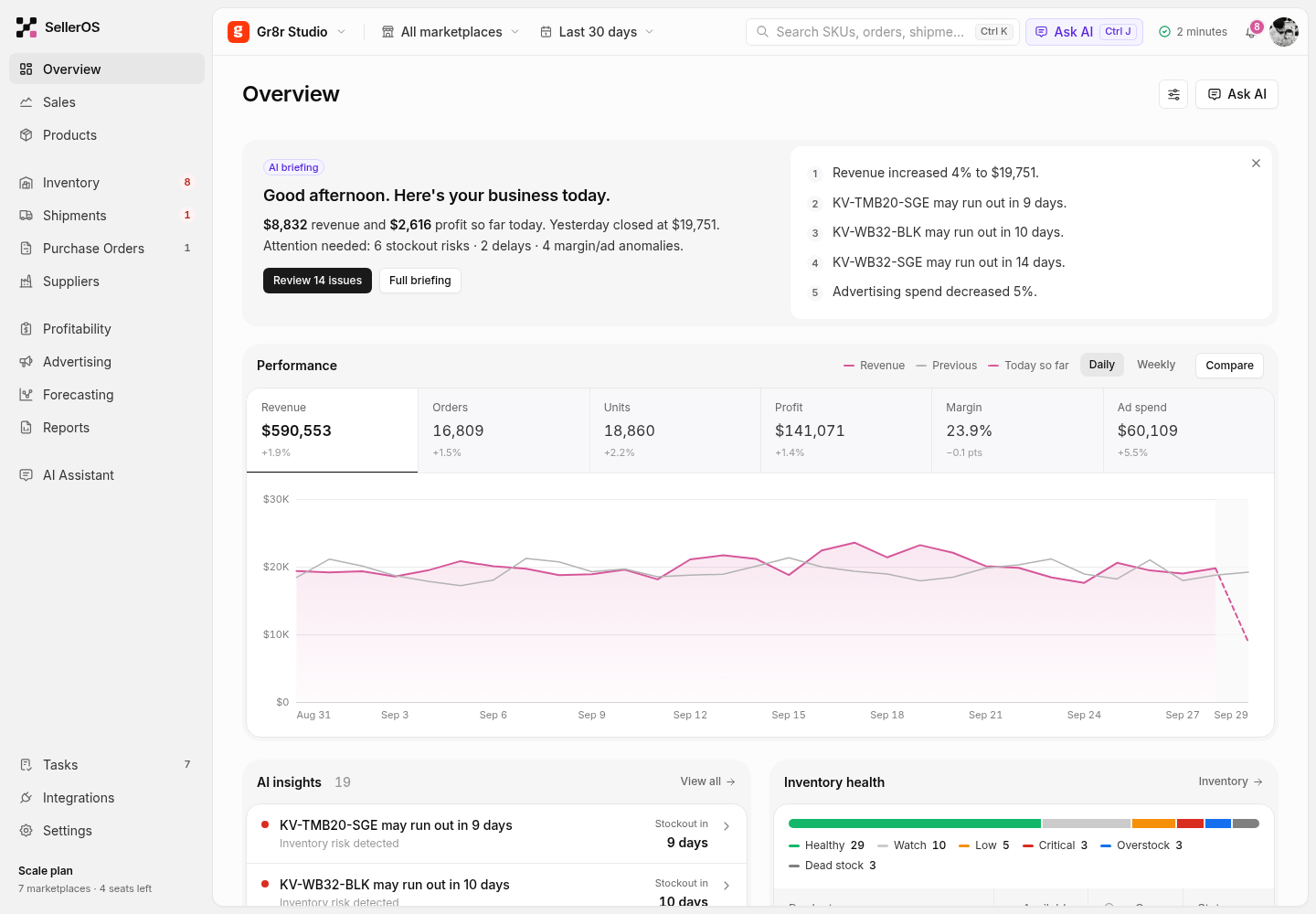
SellerOS, a sales and stock app for marketplace sellers that Gr8r built, is an example of AI placed inside a custom workflow: its overview opens with an AI briefing that summarises the day and flags products that may run out of stock. Built by Gr8r for its own portfolio. Not client work. It runs on demo data, so it shows the screens, not results.
What about lock in and ownership?
Ask three questions before you sign anything, bought or built.
- Can we export our data and settings in a format we can use elsewhere?
- Who owns the prompts, workflows and code?
- What happens to our process if the model behind it changes?
With a ready tool, the vendor usually owns the product and you rent access. With custom work, you should own all of it. At Gr8r, clients own everything once it's paid for. Our AI ownership checklist lists what to ask for at handoff.
What should you check before you decide?
Name one workflow and its steps, score the four build signs, fill the three year worksheet with real quotes, rate the data risk, name an owner for upkeep, and set a review date.
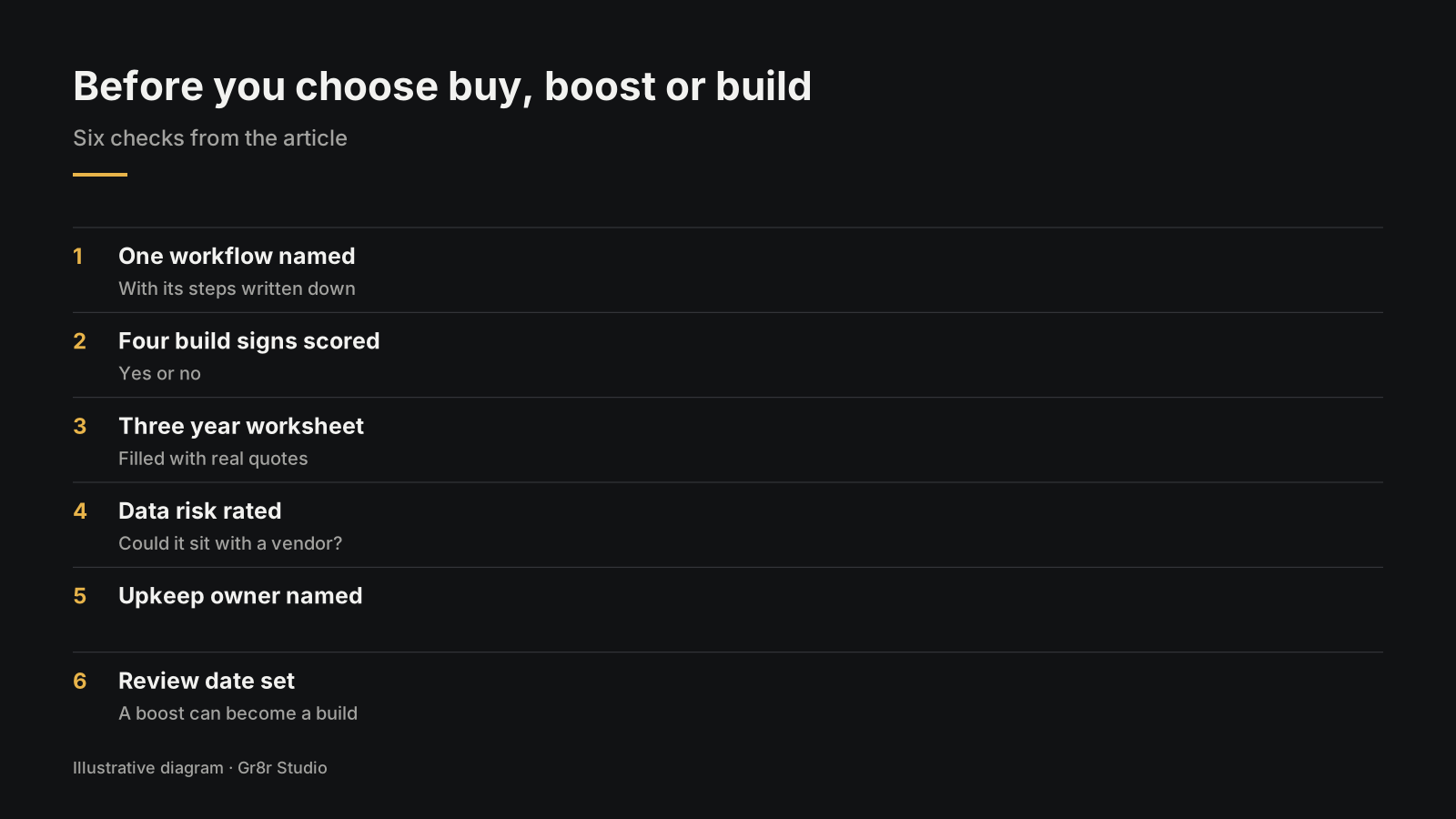
- One workflow named, with its steps written down.
- The four build signs scored yes or no.
- The three year worksheet filled with real quotes.
- Data risk rated: could this data sit with a vendor?
- An owner named for upkeep, whichever path you take.
- A review date. A boost today can become a build next year.
For how a built workflow runs once it is live, see our AI Automation guide. If the workflow needs something that plans its own steps, read how to build AI agents for business. When the answer is build, that is the work we do in AI automation services and AI software development.
Frequently asked questions
When should you build custom AI instead of buying a tool?
Build when the workflow is how your company wins, when it touches several of your own systems, when your rules are unusual, or when you must own the code, prompts and data. If none of those is true, a ready tool is usually the faster choice.
What does boosting an off the shelf AI tool mean?
Boosting means keeping a vendor's model but feeding it your own documents or data so its answers fit your business. MIT Sloan notes it gives more relevant results but raises usage costs and needs good data governance.
Is custom AI always more expensive?
Not over three years. Custom work costs more up front, while ready tools grow with seats, usage and the staff time spent copying data between them. Compare all three years, including the cost of leaving a tool.
How do you avoid lock in with AI tools?
Before signing, ask whether you can export your data and settings, who owns the prompts, workflows and code, and what happens if the model behind the tool changes. Get the answers in writing.
Who owns a custom AI workflow that Gr8r builds?
The client does. At Gr8r, clients own everything once it's paid for.
About the author
Tanjim Islam is the founder and CEO of Gr8r Studio. He founded the studio in 2023. Here he writes about how Gr8r approaches hiring, product design and AI engineering. More on the About page.
If you want help with this, book a 30 minute call.
Related reading
- Products Gr8r built itself, including Loadline
- RPA vs AI automation
- AI Automation guide
- how to build AI agents for business
- AI ownership checklist
- AI automation services
- AI software development
- talk to us