How to Build AI Agents for Business Workflows

Tanjim Islam
Founder & CEO · · 7 min read


This guide walks through the steps we follow, from picking the task to running the agent after launch. It stays vendor neutral. For the screens agents need, see AI agent UI patterns.
What counts as an AI agent in a business?
An AI agent is software that is given a goal, decides its own next step, uses tools such as your CRM or inbox to act, and keeps going until the job is done or it needs a person.
OpenAI's guide says it in one line: "Agents are systems that independently accomplish tasks on your behalf." It adds that apps which use a model but do not let it control the steps, "think simple chatbots, single-turn LLMs, or sentiment classifiers", are not agents (OpenAI, A practical guide to building agents, 15 Jan 2026, fetched 25 Oct 2026).
That matters for your budget. An agent is the most flexible option and the hardest to test.
Do you need an agent at all?
Often you do not. Anthropic, after working with "dozens of teams building large language model (LLM) agents", recommends "finding the simplest solution possible, and only increasing complexity when needed. This might mean not building agentic systems at all" (Anthropic, Building effective agents, 19 Dec 2024, fetched 25 Oct 2026).
A quick test:
- You can write the steps on a page and they rarely change. Build a workflow with a model inside it. See what AI automation is.
- The steps change with each case, and a good employee would decide what to look up next. That is agent work.
OpenAI points to three signs a task suits an agent: decisions full of exceptions, rule sets that have grown too tangled to maintain, and heavy reliance on documents or free text.
Step 1: Which task should the agent own?
Pick one task, not a department. It should have a clear start, a clear finish and a way to say whether it went right.
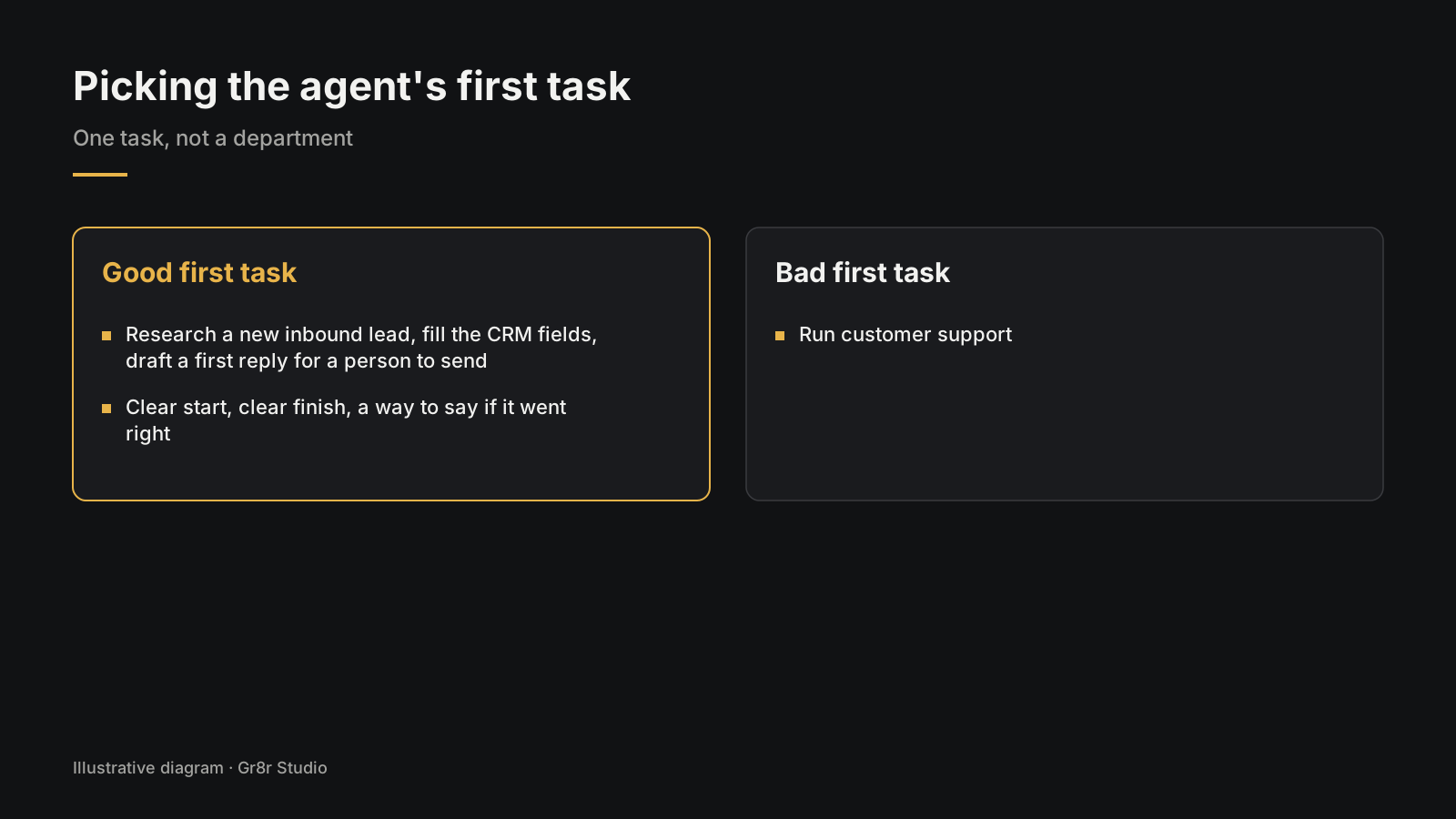
Good first tasks look like this: "Research a new inbound lead, fill the CRM fields and draft a first reply for a person to send." Or: "Read a supplier dispute, gather the order, invoice and emails, and write a summary with a suggested resolution."
Bad first tasks look like this: "Run customer support."
Step 2: What goes in the agent spec?
Write one page before anyone writes code. It can save weeks.
| Spec field | What to write |
|---|---|
| Goal | One sentence. What "done" looks like |
| Trigger | What starts a run (new email, new row, a person asks) |
| Inputs | What the agent can read |
| Tools | Each system it can use, and read or write |
| Actions it may take alone | Low risk, easy to undo |
| Actions that need approval | Anything sent, paid or deleted |
| Stop rules | Max steps, max time, when to hand to a person |
| Success measure | How you will score a run as right or wrong |
| Owner | The person who reviews runs each week |
OpenAI's guide breaks every agent into three parts: "Model", "Tools" and "Instructions". The spec is where you pin down the last two in plain words. Its advice for instructions: start from the documents you already have, such as "existing operating procedures, support scripts, or policy documents."
Step 3: Which tools should the agent get?
As few as the task needs, with the least access that works.
- Read before write. Let it read the CRM before you let it edit records.
- Draft before send. Let it draft emails that a person sends.
- Rate each tool's risk. OpenAI suggests rating tools "low, medium, or high" based on "read-only vs. write access, reversibility, required account permissions, and financial impact."
- Name tools clearly. Anthropic found that on one project the team "spent more time optimizing our tools than the overall prompt." A vague tool name leads to the wrong tool being used.
Step 4: How do you test an agent?
Build a test set before you build the agent.
- Collect 30 to 100 real past cases of the task, with personal data removed where you can.
- Write the right outcome next to each one, agreed by the person who does the job today.
- Run the agent on all of them after every change to the prompt, model or tools.
- Score the steps, not just the answer. Did it look in the right places? Did it stop when it should have?
- Add every failure from production back into the test set.
OpenAI's guide recommends you "set up evals to establish a performance baseline" before tuning for cost. Anthropic recommends "extensive testing in sandboxed environments, along with the appropriate guardrails."
Step 5: Which screens do people need to watch the agent?
An agent that works in the dark loses trust the first time it gets something wrong. People need to see what it is doing, what it did and what it wants approved.
At minimum, design:
- A status view: which agents are running, idle or stuck.
- A run view: the current task, its steps and which step it is on.
- An activity log: every action, in order, with time and result.
- An approval step before anything risky goes out. Our post on the design review step before an AI agent acts covers this screen in detail.
Anthropic lists "prioritize transparency by explicitly showing the agent's planning steps" as one of its three core principles.
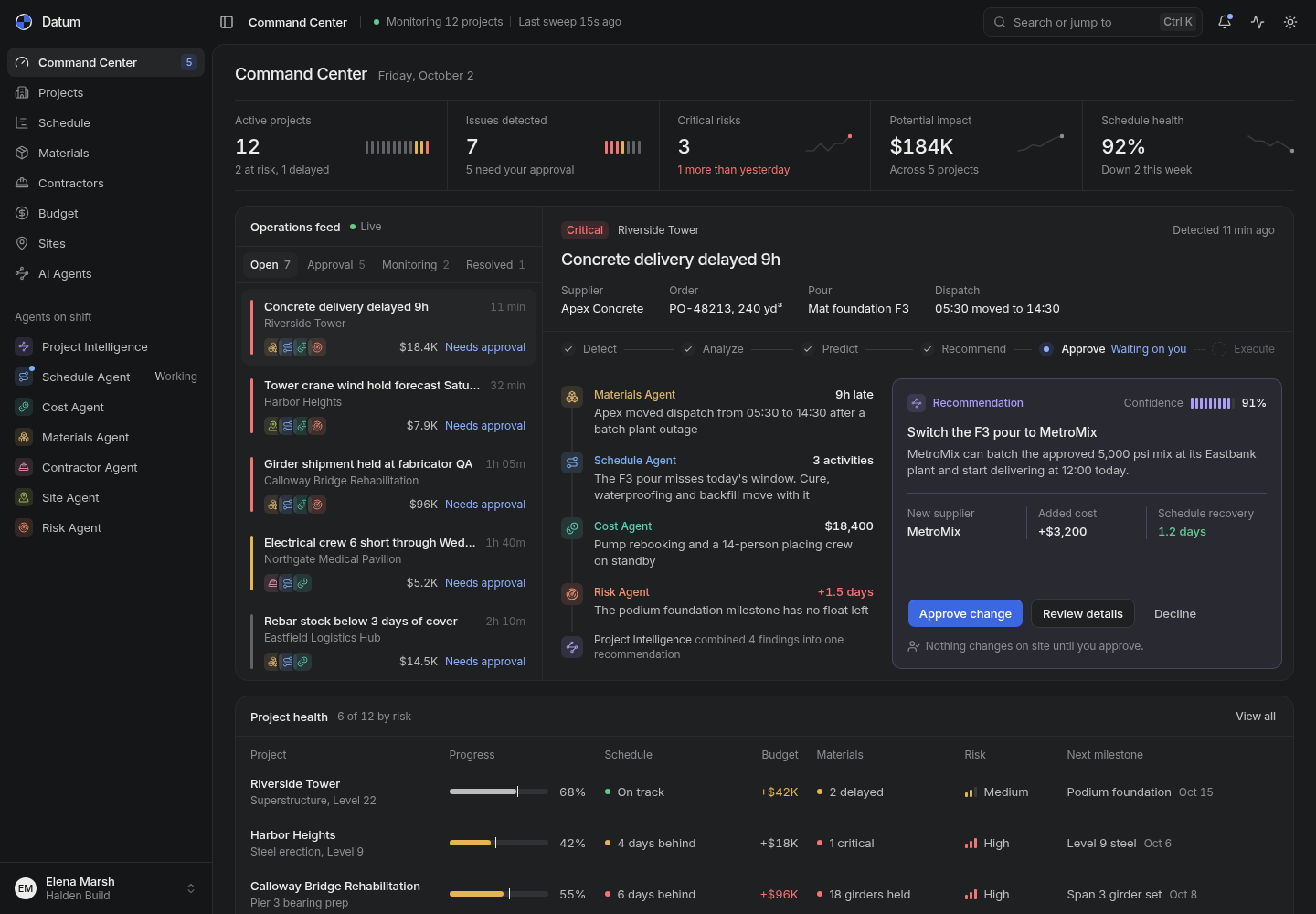
You can see these screens in Datum, a command center for construction projects. It lists one agent per job (schedule, cost, materials, contractors, sites, risk), an operations feed that marks items "Needs approval" or "Monitoring", and an approve step that reads "Waiting on you". Built by Gr8r for its own portfolio. Not client work.
Step 6: How do you run the agent after launch?
Launch small, then widen.
- Shadow first. The agent runs on live cases but a person does the real work. Compare.
- Draft mode next. The agent prepares, a person approves every action.
- Widen slowly. Let it act alone on the lowest risk actions once the test set and shadow runs agree.
- One owner. A named person reads a sample of runs every week and decides what changes.
- Clear hand back. OpenAI names two triggers for human intervention: "exceeding failure thresholds" and "high-risk actions", such as "canceling user orders, authorizing large refunds, or making payments."
What do business agents usually get wrong?
Most failed agents share four mistakes:
- Too many tools at once. OpenAI notes some setups handle more than 15 distinct tools while others "struggle with fewer than 10 overlapping tools." Overlap is the problem.
- No stop rule. Without a step limit, a confused agent loops.
- No owner. Nobody reads the logs, so drift goes unnoticed.
- Testing only happy paths. Real inboxes are full of forwarded chains, missing attachments and angry customers.
Where should you start?
Write the one page spec for one task this week. If you cannot fill in the success measure, the task is not ready. If you can, you are most of the way to a build plan. For the screens, read AI agent UI patterns.
Frequently asked questions
Do we need an agent, or is a workflow enough?
Start by asking whether you can write the steps down. If you can, a workflow with an AI model inside it is simpler, cheaper and easier to test. Use an agent only when the steps change from case to case.
Do we need an agent framework?
Not to start. Anthropic advises starting with model APIs directly because many patterns take a few lines of code. Frameworks can help later, as long as your team understands what they do underneath.
How do you test an AI agent before launch?
Build a test set of real past cases with the right outcome written next to each one. Run the agent on all of them after every change, check both the final answer and the steps it took, and track how often a person had to step in.
Which actions should an AI agent never take alone?
Anything sensitive, hard to undo or high stakes. OpenAI lists canceling orders, authorizing large refunds and making payments as examples that should trigger human oversight until you trust the agent.
How long does it take to build a business AI agent?
It depends on how many systems it connects to, how many actions it can take, and how deep the testing goes. A narrow agent on one system with draft only actions is the fastest path to something you can trust.
About the author
Tanjim Islam is the founder and CEO of Gr8r Studio. He founded the studio in 2023. Here he writes about how Gr8r approaches hiring, product design and AI engineering. More on the About page.
Relay shows the approval step for business tasks: an agent's drafted refund or outreach email waits in a list until a person reviews it. Built by Gr8r for its own portfolio. Not client work. It runs on demo data, so it shows the screens, not results. LedgerOS shows the one agent per job idea in finance: Invoice, Expense, Flow, Payment and Risk Sentinel agents, each with its own status. Built by Gr8r for its own portfolio. Not client work.
If you want help with this, book a 30 minute call.