AI Agent UI Patterns That Keep Users in Control

Tanjim Islam
Founder & CEO · · 6 min read


Why do AI agents need different UI from chat?
A chatbot answers. An agent acts. Once software can search, edit records and send messages on its own, people need to see what it is doing and stop it when it goes wrong.
Microsoft's Fluent 2 guidance says an agent should "express its autonomy level by communicating its triggers, access permissions, and action rights" (Microsoft Fluent 2, Responsible AI). Most agent screens skip this. They show a chat bubble that says "Working on it" and then a result. The person has no idea what happened in between, so they either trust it blindly or not at all.
The fix is a small set of patterns, matched to how much freedom the agent has.
Which pattern fits which level of autonomy?
Agents work at four levels: suggest, draft, act with approval, and act and report. The more the agent does alone, the more patterns you need around it. The full trust ladder is in AI UX design: the seven screen states.
| Pattern | Suggest | Draft | Act with approval | Act and report |
|---|---|---|---|---|
| Plan preview | ✓ | ✓ | ✓ | |
| Live step log | ✓ | ✓ | ✓ | |
| Tool call cards | ✓ | ✓ | ||
| Diff review | ✓ | ✓ | ||
| Pause and take over | ✓ | ✓ | ||
| Undo | ✓ | ✓ | ✓ | ✓ |
| Activity log | ✓ | ✓ | ||
| Handoff | ✓ | ✓ | ||
| Run summary | ✓ |
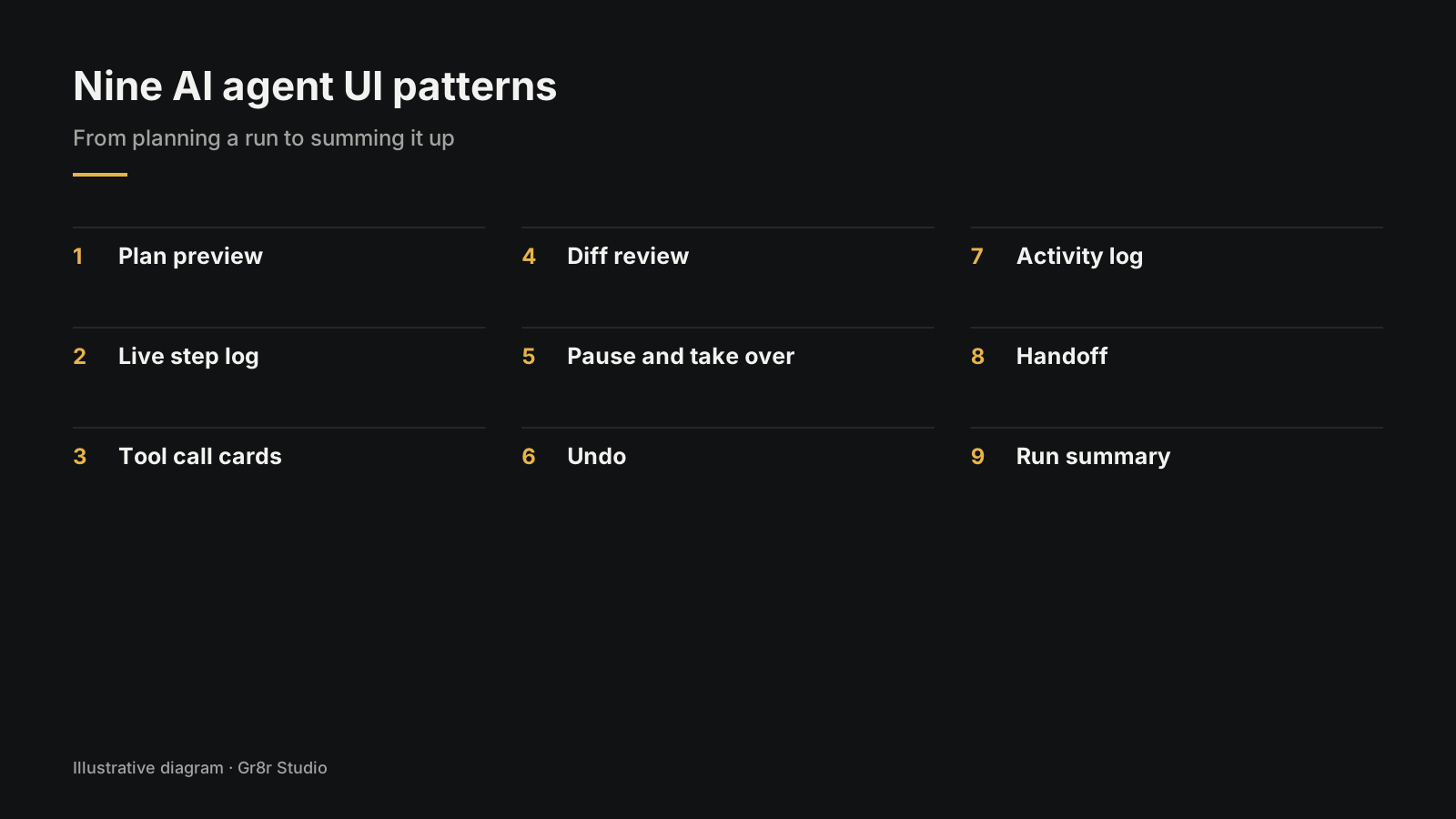
What are the nine AI agent UI patterns?
1. Plan preview
Before the agent starts, show its plan as a short list: "Find unpaid invoices over 30 days. Draft a reminder for each. Wait for your approval." Let people edit or remove steps. A plan they can read is the cheapest moment to catch a misunderstanding.
2. Live step log
During the run, show each step in plain words as it happens, with the active one highlighted. "Reading 14 invoices" tells people far more than a spinner, and it shows where things went wrong if they do.
3. Tool call cards
When the agent uses a tool, such as searching your CRM or calling an API, show a compact card: which tool, what it asked, what came back. Keep the details folded by default. Power users open them; everyone else sees that something real happened.
4. Diff review
When the agent changes something that already exists, show before and after side by side, with the changes highlighted. People review a diff far faster than they reread a whole document.
5. Pause and take over
Give every run a visible stop button, and let people take over halfway: edit the draft, finish the step by hand, then hand back. An agent you cannot interrupt feels unsafe even when it works.
6. Undo
Group everything one run changed into a single action people can reverse. Show what undo will change before they confirm. Even the lowest autonomy level needs this.
7. Activity log
Keep a record of what the agent did, when, with which inputs, and who approved it. This is the screen people open when something looks off a week later, and the one auditors ask for.
8. Handoff
When the agent cannot finish, it should hand over cleanly: what it did, what it could not do, why, and what the person needs to decide. Then the person picks up from that point instead of starting over.
9. Run summary
For agents that act and report, end each run with a short summary: what changed, what needs attention, and a link to the full log. This is what people read over coffee instead of watching the agent work.
What does a full agent screen look like?
Most good agent screens have three zones: a place to ask, a place to watch, and a place to review. Ask is a chat box or command bar. Watch is the plan and step log. Review is the canvas with the diff, the approval buttons and the undo.
You can see this layout in Aurora, an AI agent web app built around a workspace where the agent's steps sit beside the work. Built by Gr8r for its own portfolio. Not client work.
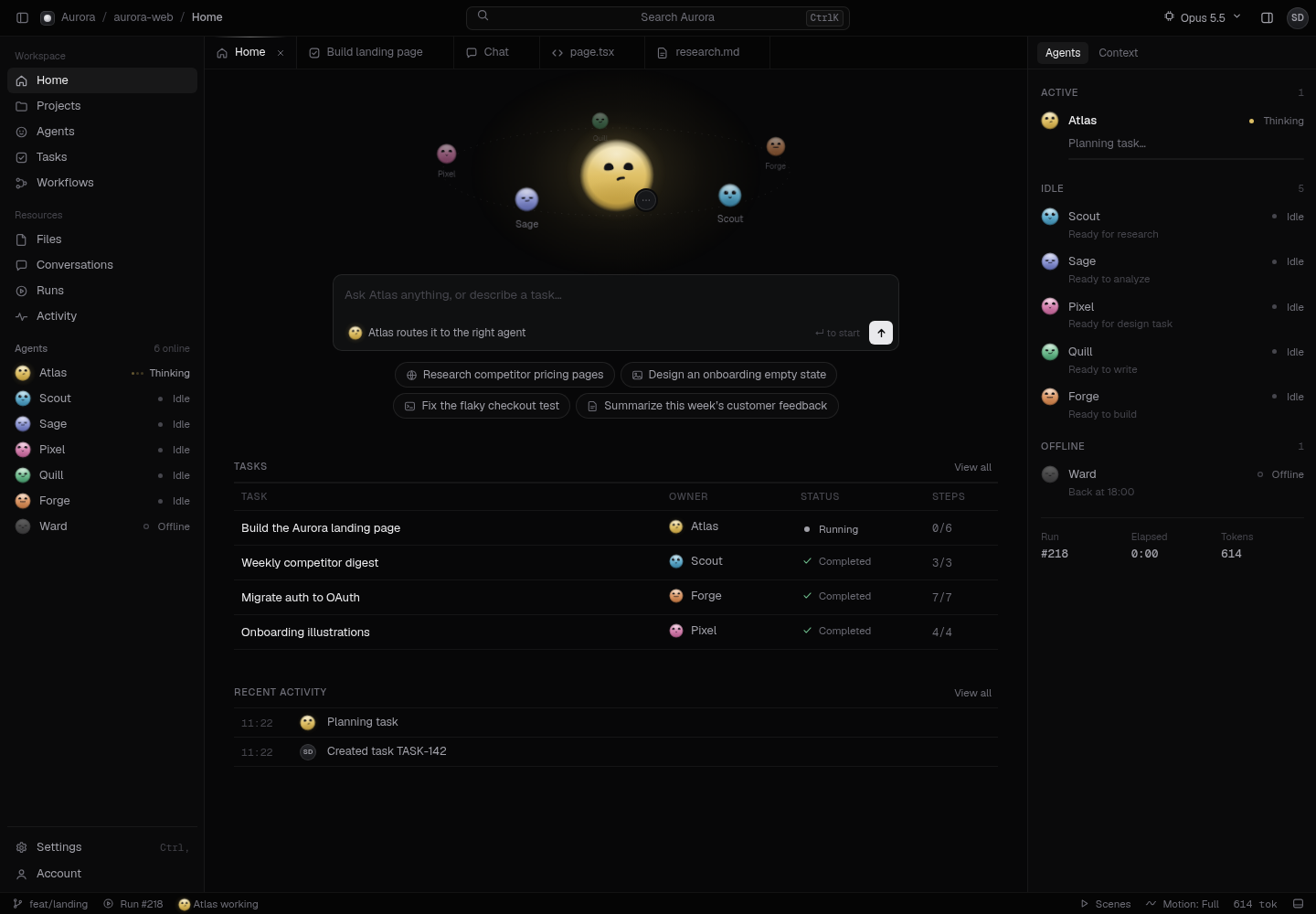
The first screen matters too: what the agent shows before anyone has asked it anything. That.
Where does the approval step go?
Put approval in front of anything that costs money, cannot be undone, or goes out under someone's name. Where exactly, and how to stop people approving on autopilot, is in designing the review step before an AI agent acts.
What should you check in a design review?
Check that people can see the agent's autonomy level and plan, follow its steps, stop or undo a run, review diffs and an activity log, and get a clear handoff or summary at the end.
- The agent's current autonomy level is visible.
- The plan shows before the run, and can be edited.
- Steps show in plain words while it runs.
- There is a stop button on every run.
- Changes to existing work show as a diff.
- One undo reverses a whole run.
- An activity log records actions and approvals.
- Failed runs hand off with a clear next step.
- Agents that act alone end with a summary.
We design these screens as part of our AI product design work. If the agent behind them still needs building, see AI agent development.
Frequently asked questions
What is agentic UI?
Agentic UI is the interface for AI that takes steps on its own, such as searching, editing records or sending messages. It shows the person what the agent plans to do, what it is doing now, what it did, and where they can step in.
Should an AI agent live in a chat or a canvas?
Use chat for open questions and quick requests. Use a canvas or workspace when the agent produces something people need to review, edit or compare, such as a document, a table or a plan. Many products combine both: chat to ask, canvas to work.
How do you show an AI agent's plan?
Show the plan as a short list of steps in plain words before the agent starts, and let the person edit or remove steps. During the run, tick steps off and show which one is active.
When should an AI agent ask for approval?
Ask before anything that costs money, cannot be undone, or goes out under someone's name. Let the agent act alone on cheap, reversible, visible work, with an undo and a log.
How do you design undo for an AI agent?
Group everything one run changed into a single action people can reverse, show what will be undone before they confirm, and keep the window long enough for someone to notice a mistake. For actions that cannot be reversed, ask for approval first instead.
Next step
LedgerOS, a finance operations app Gr8r built, uses the status pattern in its sidebar: five agents, each with a label such as Monitoring, Forecasting or Active. Built by Gr8r for its own portfolio. Not client work. It runs on demo data, so it shows the screens, not results.
If you want help with this, book a 30 minute call.
Related reading
- AI product design
- AI agent development
- designing the review step before an AI agent acts
- AI UX design: the seven screen states
- how to build AI agents for business
- MVP examples from five builds you can open
Tanjim Islam is the founder of Gr8r Studio, a digital product and AI engineering partner for scaleups and enterprise teams, founded in 2023.