MVP Examples: Five First Versions We Built and What Each Left Out

Tanjim Islam
Founder & CEO · · 6 min read


Most lists of MVP examples tell the same old stories. This one shows first versions you can click. All five come from products Gr8r built itself for its own portfolio, listed on our products page. None of them is client work, and we only describe what the public page shows. For the full method behind scoping a first version, see how to build a SaaS MVP after you raise.
Why look at MVP examples you can actually open?
Because you can check them. The classic examples are good stories. Atlassian retells two of them, Amazon starting as a bookstore and Uber starting as an SMS service (Atlassian, What is a minimum viable product, fetched 25 Oct 2026). Most of the top results repeat the same handful.
The trouble is that you cannot open the 2008 version of anything. You read about the first version. You never see the screen.
So this post does it the other way round. Five live pages. For each one: the sector, what is on the screen, and what the page does not show.
What makes a first version an MVP and not a demo?
An MVP lets a real person do one job from start to finish. A demo only shows that the job could be done.
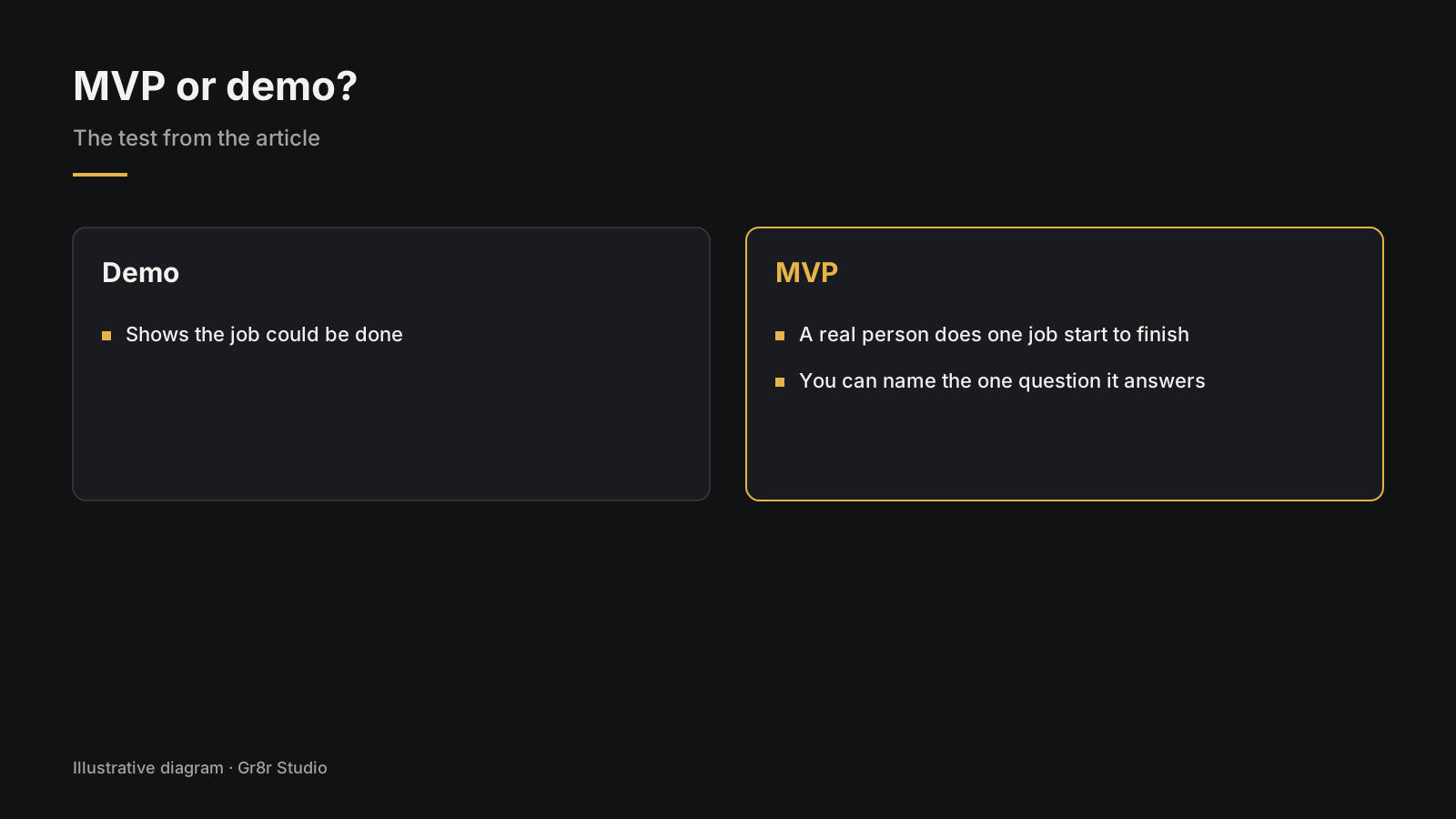
A useful test: can you name the one question this version will answer? Will clinics log referrals here instead of in a spreadsheet? Will teachers download a drawing without making an account? If you cannot name the question, you are building an unfinished product, not an MVP.
The five builds below were made for our own portfolio, so they test design and engineering rather than a paying market. Read them as examples of scope: what goes on screen one, and what waits.
Example 1: What does Clinara show, a hospital management first version?
Sector: hospital management. Type: SaaS. Built by Gr8r for its own portfolio. Not client work.
The public Clinara welcome page opens with one promise: "One system for patients, beds, lab, pharmacy and billing." Under it sits a button to open a live demo, which the page says opens a fictional hospital with no sign up.
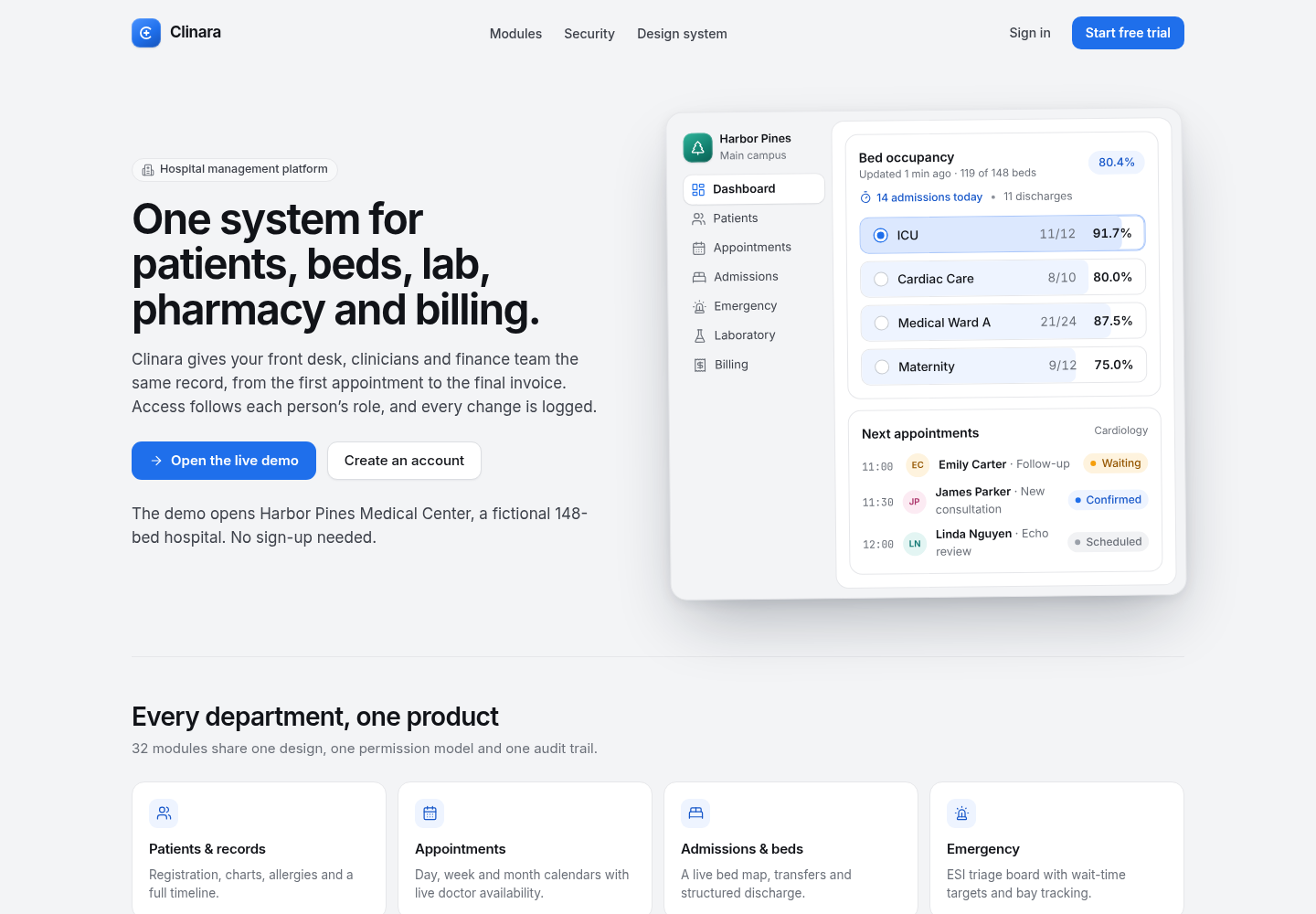
The preview on the page shows a bed occupancy panel by ward and a short list of next appointments with a status beside each name. Below that, the page lists modules by department: patients and records, appointments, admissions and beds, emergency, laboratory, pharmacy, billing and insurance.
What the page does not show: the top navigation has Modules, Security, Design system and Sign in. There is no pricing section in that bar.
Example 2: What does Avelis show, a referral coordination prototype?
Sector: healthcare referral coordination. Type: SaaS. Built by Gr8r for its own portfolio. Not client work.
The Avelis page labels itself plainly: "Synthetic product prototype". The headline is "Move every referral forward." Three short promises follow: completeness tracking, clear ownership and scheduling readiness. One line says it best: "Every referral has one owner and one next action."
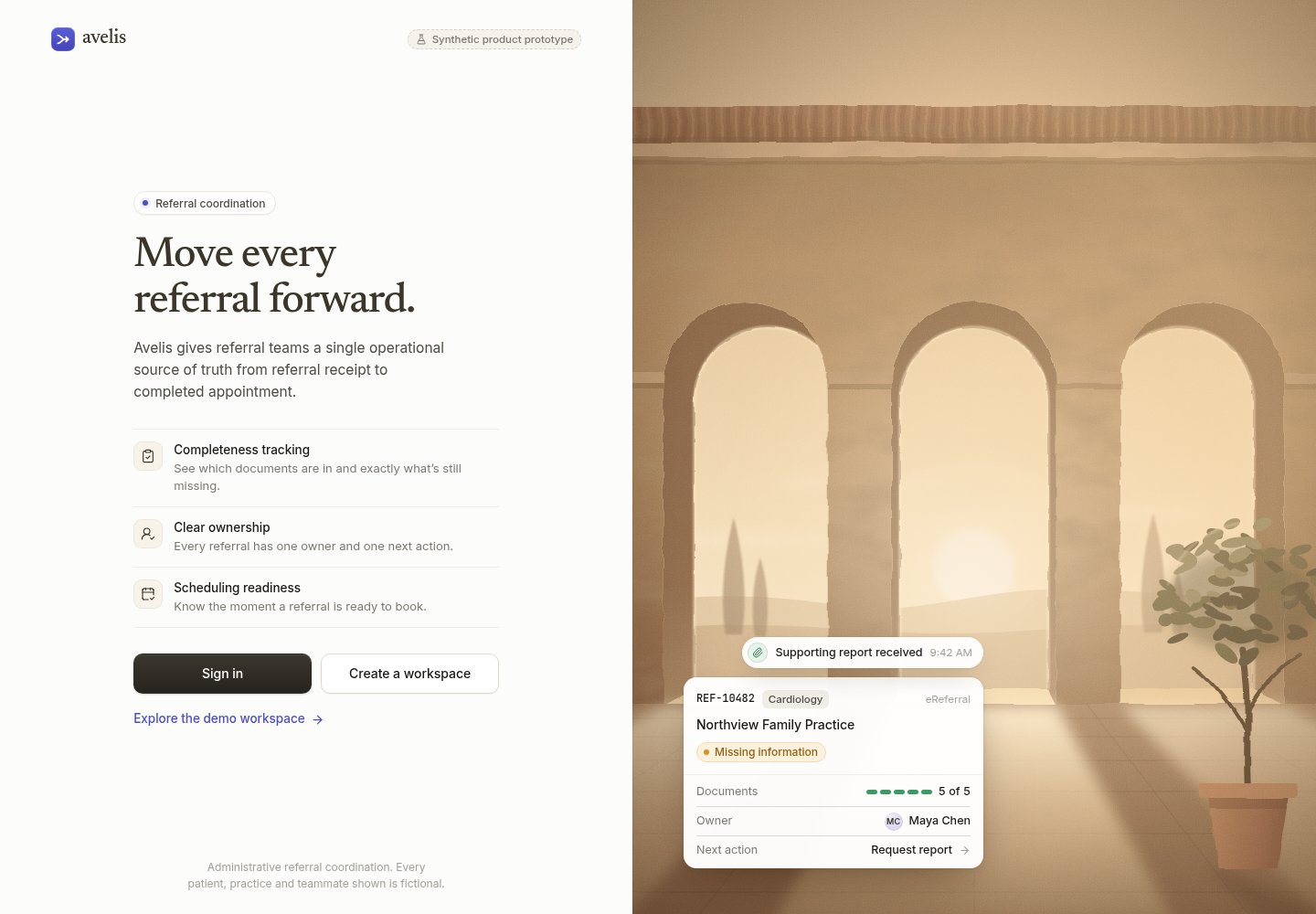
The sample card on the page shows one referral with its specialty, its source, a document count, a named owner and a next action, "Request report".
What the page leaves out is written on it. It describes "Administrative referral coordination" and says every patient, practice and teammate shown is fictional. There are no clinical notes on the public page. The first version stays on the paperwork side of the job: who has it, what is missing, is it ready to book.
Example 3: What does Aurora show, an AI agent workspace?
Sector: AI agent. Type: web app. Built by Gr8r for its own portfolio. Not client work.
The Aurora workspace opens straight into the product, with no landing page in front. Four things carry the screen: an agent status panel, task step counts, a run in progress and an activity log.
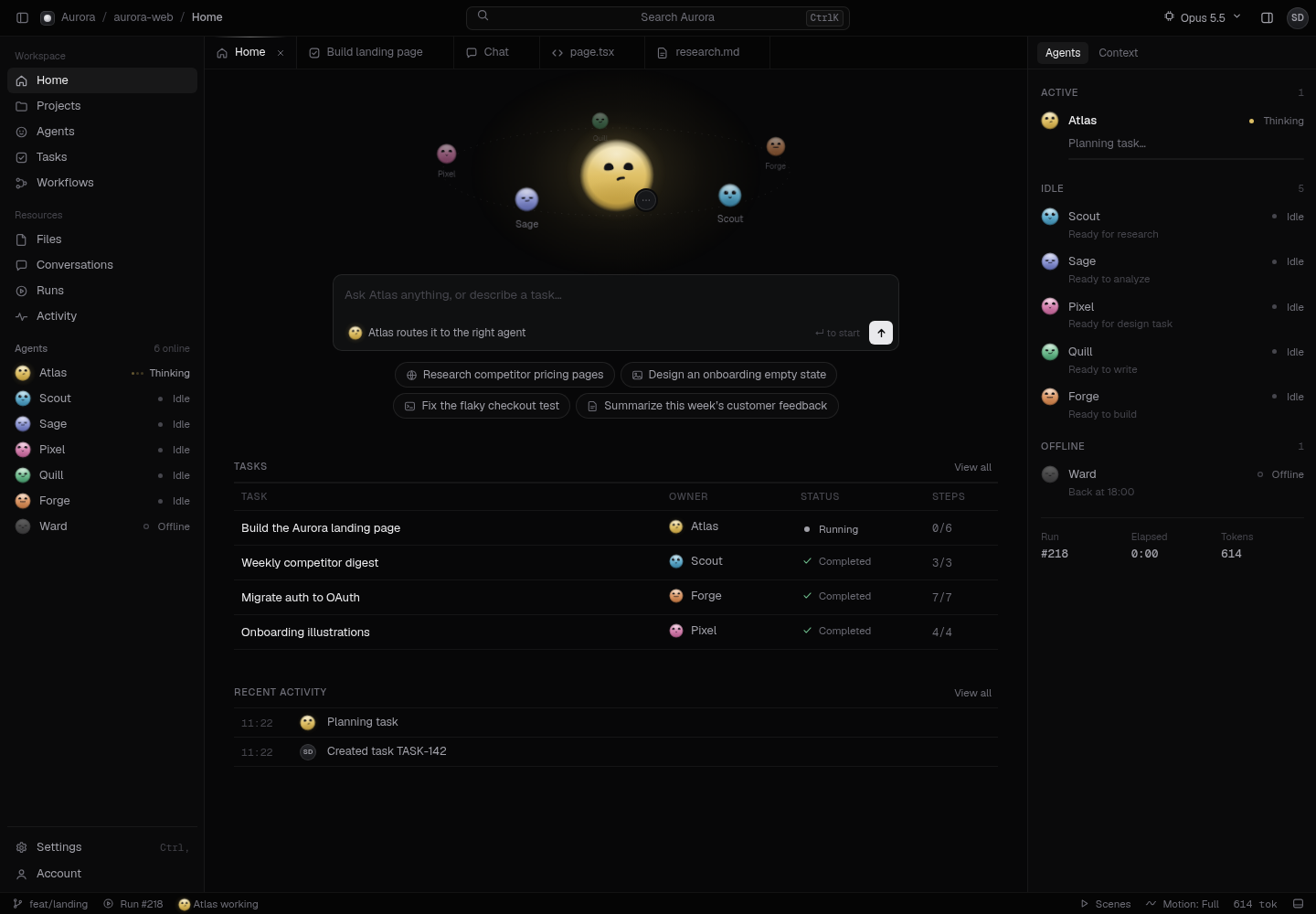
That is the whole core: who is working, on what, how far along, and what just happened. If you are building anything agentic, those four parts are the minimum a person needs to trust what the agents are doing. We cover that pattern in AI agent UI patterns that keep users in control.
Example 4: What does Isoform show, an asset marketplace?
Sector: asset marketplace. Type: web app. Built by Gr8r for its own portfolio. Not client work.
The Isoform catalog describes itself as "Interactive isometric line drawings for physics, chemistry and biology." Each card has a name, a one line description and tags. The page says every drawing is free to download in every format, "no account needed".
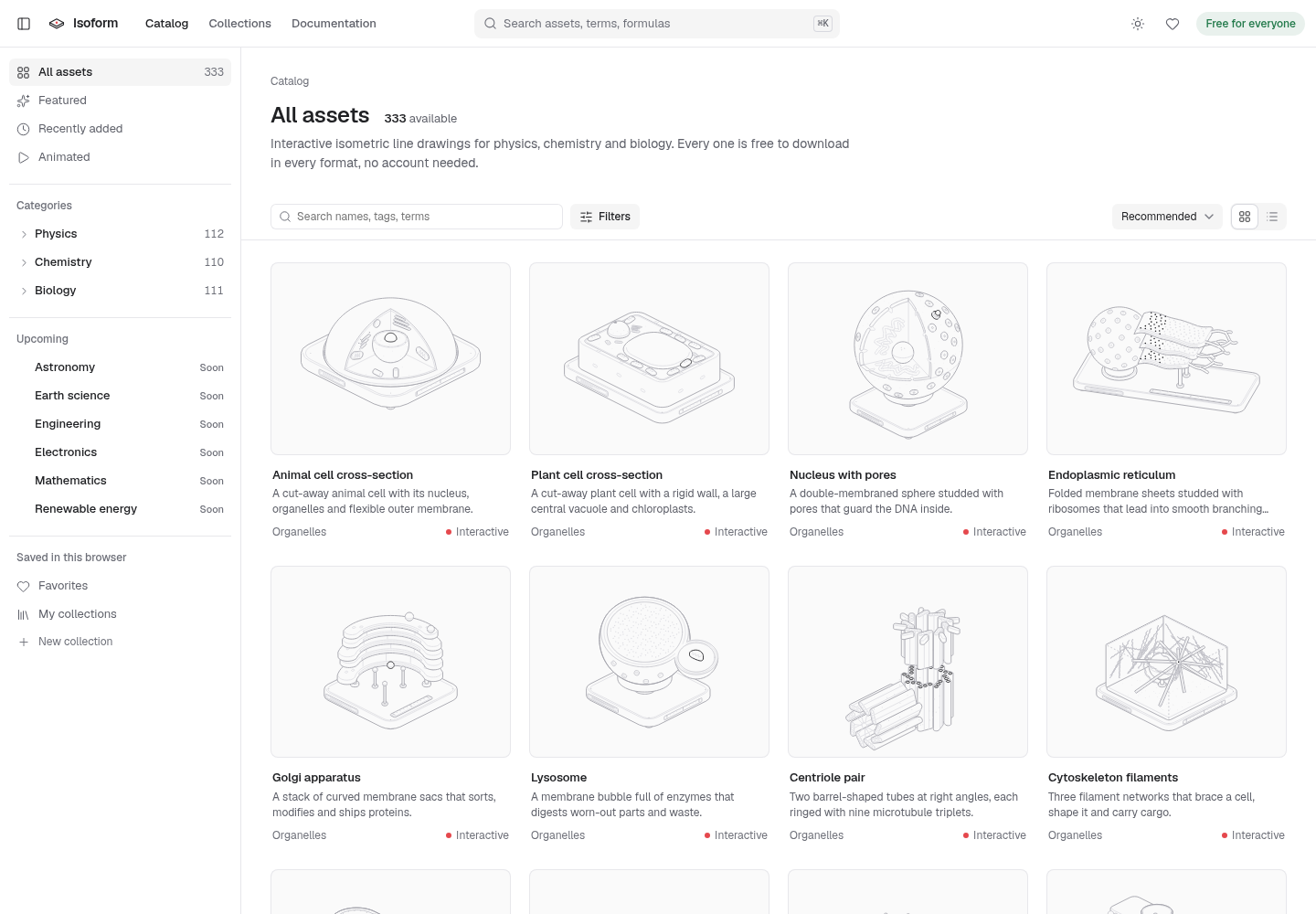
This one shows its cut list in public. The sidebar has three live subjects, physics, chemistry and biology. Below them, astronomy, earth science, engineering, electronics, mathematics and renewable energy all carry a "Soon" label. Even a sort option admits it is early: "Popularity (needs more downloads)".
No account, no checkout, three subjects. That is a first version that knows its job: get a drawing into someone's hands with the fewest steps.
Example 5: What does the Task Management build show?
Sector: productivity. Type: web app. Built by Gr8r for its own portfolio. Not client work.
The Task Management app opens on a home screen with a greeting, four counters (active projects, open tasks, completed this week, overdue) and a My tasks list with a project name and due day beside each task. The sidebar lists projects and teams.
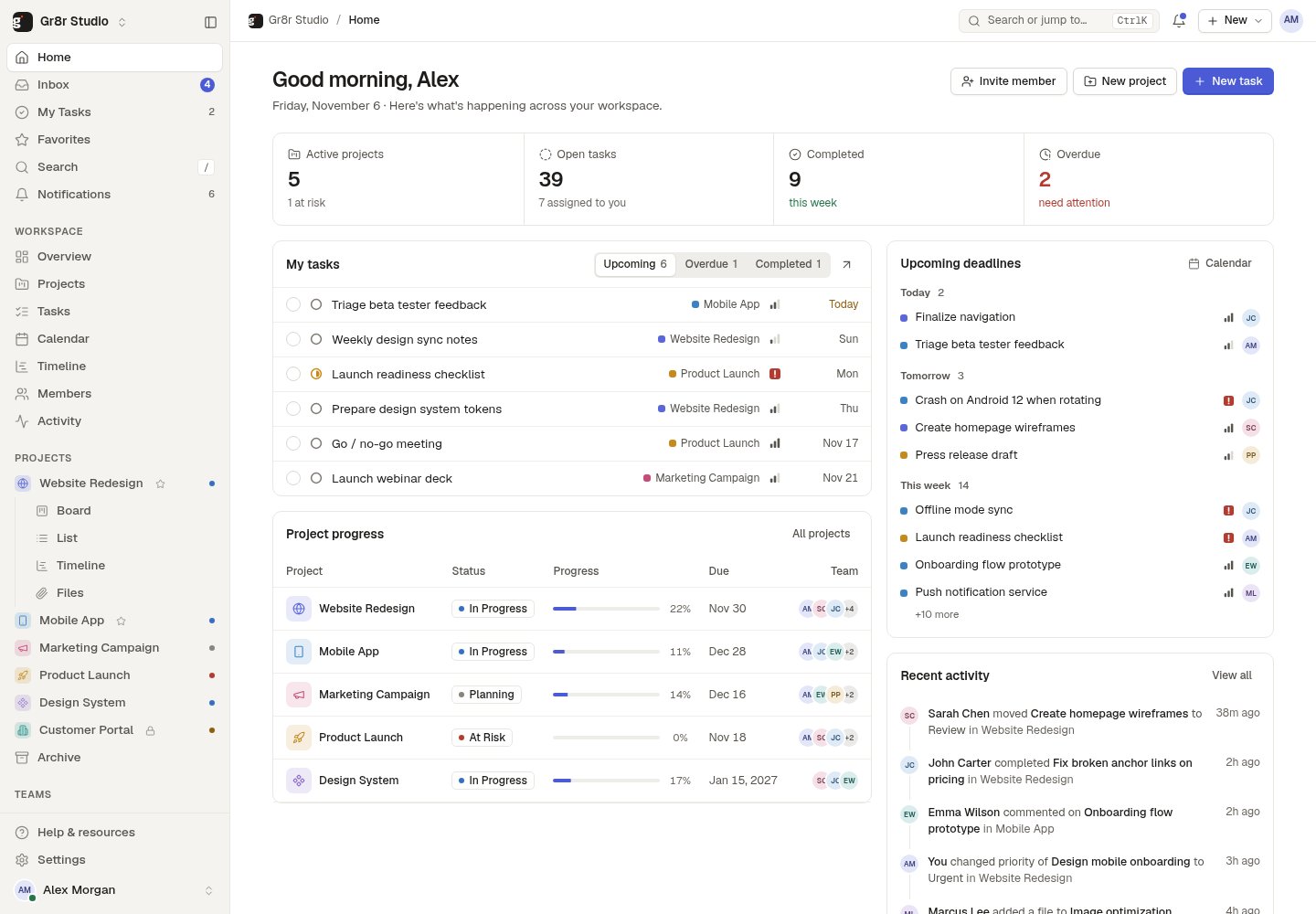
Task tools are a crowded field, so the interesting question is what a first version chooses not to copy.
What do these five first versions have in common?
Three patterns show up on the screens themselves.
- One sentence up front. Clinara, Avelis and Isoform each lead with a single line that names the job.
- Fictional data, labelled. Clinara and Avelis both say on the page that the people shown are fictional. That keeps a prototype honest and safe to share.
- Gaps you can see. Isoform marks future subjects "Soon". Avelis says it is administrative. A visible gap tells users what to expect and tells the team what not to build yet.
How do you write your own cut list?
Start with one sentence: a person uses the product to do one job, instead of what they do today. Then sort every idea into must have, should have and later. Only must haves go into v1.
Here is an illustration, not a real client project. A clinic team wants a referral tracker. Must have: log a referral, name an owner, mark what is missing. Should have: email reminders. Later: reports, integrations, a patient portal. The later pile is not a no. It is a list with a date on it.
If you want help drawing that line, see MVP development or talk to us. Start from our homepage at gr8rstudio.com.
Frequently asked questions
What is a good example of an MVP?
A good MVP does one job end to end and leaves the rest out. A free catalog that lets anyone download a drawing with no account, while other subjects wait behind a Soon label, is a clear example you can open and check.
What are some famous MVP examples?
The usual list includes Amazon starting as an online bookstore and Uber starting as an SMS service. They are useful stories, but they are old and you cannot open the first versions today.
What should an MVP leave out?
Anything the core job does not need on day one: extra subjects, billing tiers, deep settings, integrations and reports. Write the cut list down so the team can defend it when new requests arrive.
Is a demo with sample data an MVP?
It can be a first version if real people can use it to do the core job and give feedback. A demo with fictional data is good for testing flow and layout, then real data tests whether it works.
How do I scope my own MVP?
Write the one job in a sentence, list every feature, then sort each into must have, should have and later. Build only the must haves, and plan a demo every week so you can react early.
Next step
If you want help with this, book a 30 minute call.
About the author
Tanjim Islam is the founder and CEO of Gr8r Studio. He founded the studio in 2023. Here he writes about how Gr8r approaches hiring, product design and AI engineering. More on the About page.