The Exception Queue: A Teardown of Veyra, Our Invoice Approval Build

Tanjim Islam
Founder & CEO · · 5 min read


Veyra is a procurement and invoice approvals SaaS. Built by Gr8r for its own portfolio. Not client work. It sits behind a login, so every visual in this post is a labelled wireframe, not a screenshot. The demo uses a fictional company and demo data, so this post describes how the queue is designed, not how it behaves in live use. This teardown walks through the screen most AI write ups skip, using the invoice flow from how to automate invoice processing with AI.
Why does the exception queue decide whether the AI is worth it?
Because it is where your team will actually spend its day.
In an AI invoice workflow, clean invoices flow through. The ones with a smudged total, a new supplier or a price that does not match the purchase order stop. They land in one place, and a person picks them up. If that place is a shared inbox with forty unread emails, the AI has moved the mess, not removed it.
What does the queue screen look like?
It's one screen in three columns: flagged items on the left, the original invoice in the middle, and the AI's proposal with action buttons on the right.
Three columns do the work. The list on the left. The original document in the middle. The AI's proposal and the actions on the right. A reviewer should never leave this screen to make a decision.
What should every exception item show?
Six things, in this order.
- Why it stopped. One plain reason: "Total does not match line items", "Supplier not in vendor list". Not a code. The reason is the first thing a reviewer reads.
- The original. The invoice image, with the field in question highlighted.
- What the AI read. Supplier, invoice number, date, total, each with its confidence. Low ones marked.
- What it proposes. "Approve for payment against PO [number]" or "Route to purchasing". The reviewer edits a draft, not a blank form.
- The risk. "May pay a duplicate" or "May pay above the agreed price". People decide better when they see the downside.
- The history. Who touched it, when, and what changed, one click away.
What actions should a reviewer have?
A short, fixed list:
- Approve
- Fix and approve
- Ask for information
- Reroute to another team
- Reject, with a reason
- Do by hand
Two details matter more than they look. First, a reject needs a reason, because the reason is what teaches the workflow what went wrong. Second, prefer undo to a confirmation pop up on routine actions. Jakob Nielsen writes that the most important usability considerations in confirmation dialogs is "to not overuse them" (NN/g, Confirmation Dialogs Can Prevent User Errors, If Not Overused, 18 Feb 2018, reviewed 7 Aug 2026, fetched 25 Oct 2026).
For which actions need a person at all, see the risk and reversibility grid in designing the review step before an AI agent acts.
How does the queue stay healthy?
A list lets work hide. A queue shows its own health.
- Depth and age at the top. How many are waiting, and how old the oldest is.
- An owner on every item. "A shared inbox is not an owner" (Moring AI, AI agent exception handling, fetched 25 Oct 2026).
- Grouping by cause. If twenty invoices fail because one supplier changed its template, fix the cause once.
- A timer. Anything unclaimed past a set time goes to a named person.
What states does an exception move through?
Treat each item as a small state machine. A useful starting set comes from the Moring piece: received, assigned, waiting on information, decided, then resumed or closed. Each move records who did it and when.
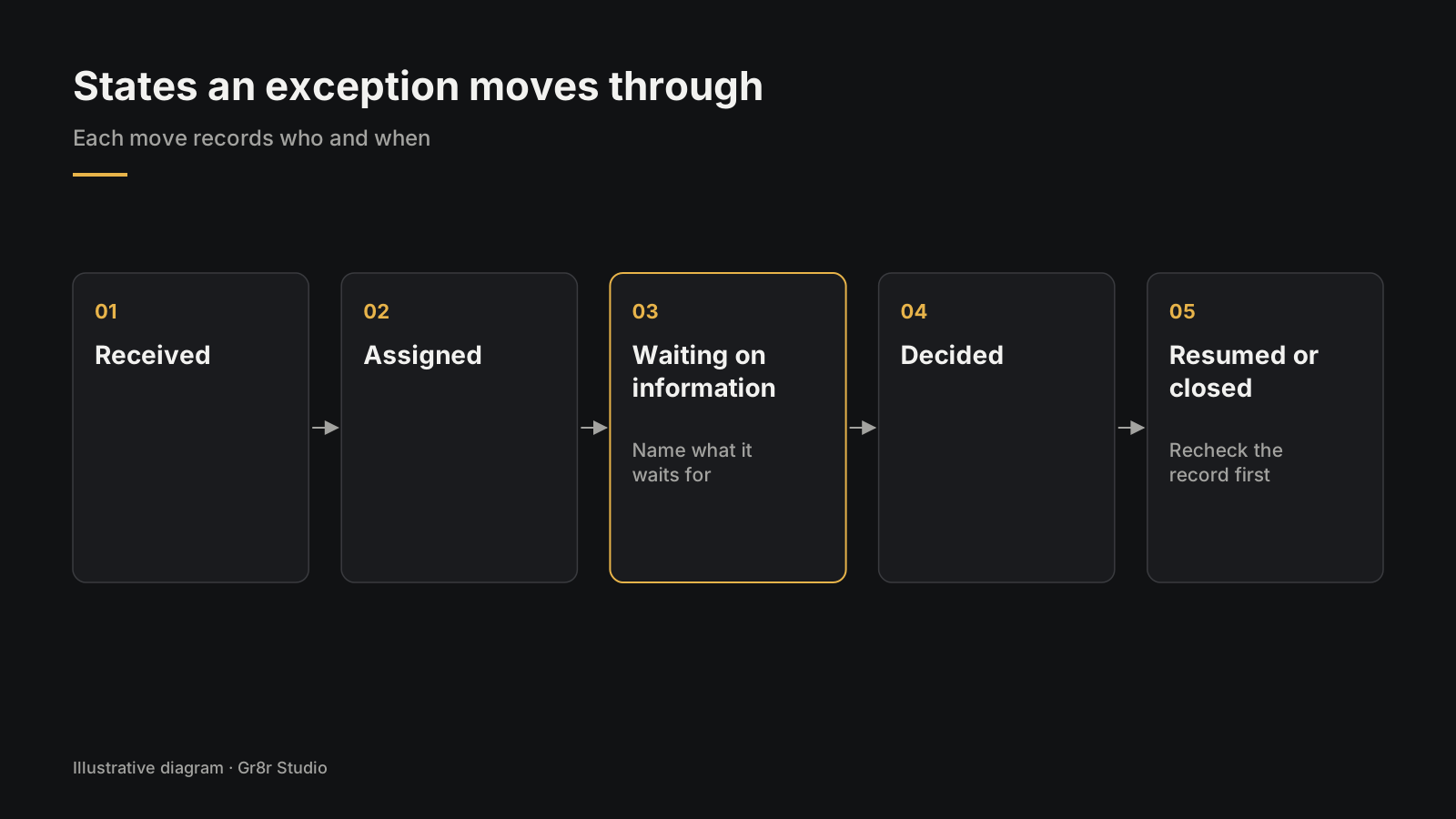
The rule that saves the most pain: "Waiting on information" should name what it is waiting for. "Waiting on supplier to resend invoice" can be chased. "Pending" cannot.
Before the workflow picks an item back up, it should recheck the record. A purchase order approved on Monday may have changed by Wednesday.
How do you design your own exception queue?
Here is an illustration, not a real client project. A finance team of four processes supplier invoices. They list every reason an invoice stops today, from missing PO numbers to wrong VAT. Each reason becomes a chip. They write the six item fields on a whiteboard and sketch one card. Then they test the card with ten real stuck invoices, before anyone writes code.
Start there. For the wider workflow, see AI Automation guide for ops leaders. To build one with us, see AI automation or talk to us.
Frequently asked questions
What is an AI exception queue?
A screen where people handle the items an AI workflow could not finish on its own, such as an invoice with a low confidence field or a price that does not match the purchase order. Each item waits there until a person decides.
What should an exception item show?
Why it stopped, the original document, the fields the AI read, what it proposes to do, the risk if that is wrong, and a short list of actions. Everything needed to decide should be on one screen.
What actions should a reviewer have?
Approve, fix and approve, ask for information, reroute, reject with a reason, and do by hand. Keep the list short so the reviewer chooses rather than starts from a blank page.
How do you stop an exception queue from piling up?
Show how many items are waiting and how old the oldest is, give every item an owner, group items by cause, and escalate anything unclaimed after a set time.
Is Veyra client work?
No. Veyra is a procurement and invoice approvals SaaS built by Gr8r for its own portfolio. It is not client work, and the visuals in this post are wireframes, not screenshots.
Next step
Veluno, a supplier onboarding product Gr8r built, makes the same promise on its sign in page: "Know exactly where every supplier stands, what is blocking approval, and who owns the next action", with sample rows such as "Insurance missing" and "Ready to activate". Built by Gr8r for its own portfolio. Not client work.
If you want help with this, book a 30 minute call.
About the author
Tanjim Islam is the founder and CEO of Gr8r Studio. He founded the studio in 2023. Here he writes about how Gr8r approaches hiring, product design and AI engineering. More on the About page.