Framer vs WordPress for a marketing site your team can edit
Framer vs WordPress: Framer is one hosted design tool with fixed CMS limits, and marketers edit pages on a canvas. WordPress is open source, with plugins and full control, and a self hosted site means you keep the server, PHP and database up to date. Gr8r Studio builds Framer sites and compares both from official pages.
Updated 26 Oct 2026. Last checked: 26 Oct 2026.
Who we are: Gr8r Studio is a Digital Product & AI Engineering Partner for Ambitious Businesses: 15+ team members, in house & remote, founded 2023. We build on Framer, Webflow and custom code.
Framer and WordPress side by side
| Factor | Framer | WordPress |
|---|---|---|
| Editing model | Designers and marketers edit on a visual canvas | The WordPress dashboard |
| CMS and content volume | Pro: 10 collections, 2,500 items; add ons up to 40 collections and 40,000 items [1] | A database; can also serve content to another frontend through its REST API [2] |
| Hosting and updates | Framer CDN, 20 locations on Basic, 300+ on Pro [1] | Self hosted (needs PHP 8.3 or later, MariaDB 10.11 or later or MySQL 8.0 or later, and HTTPS) or a hosted WordPress.com plan [3] [4] |
| Security upkeep | Hosted by Framer | On a self hosted site, you keep WordPress, PHP and the database up to date [3] |
| Ownership and export | Framer's help pages disagree: one says there is no HTML export for self hosting, another says published site files can be downloaded. Neither describes an editable project. [7] [8] | Open source; you can host it anywhere [6] |
| Who you need on the team | A designer or marketer who edits on the canvas | An editor, plus someone to run hosting, updates and plugins |
| Time to a first live page | Quick once the design exists; publish from the canvas | Quick with a ready theme; slower with a custom one |
| Main risk | CMS limits and no editable code export | Upkeep of the server, PHP and database |
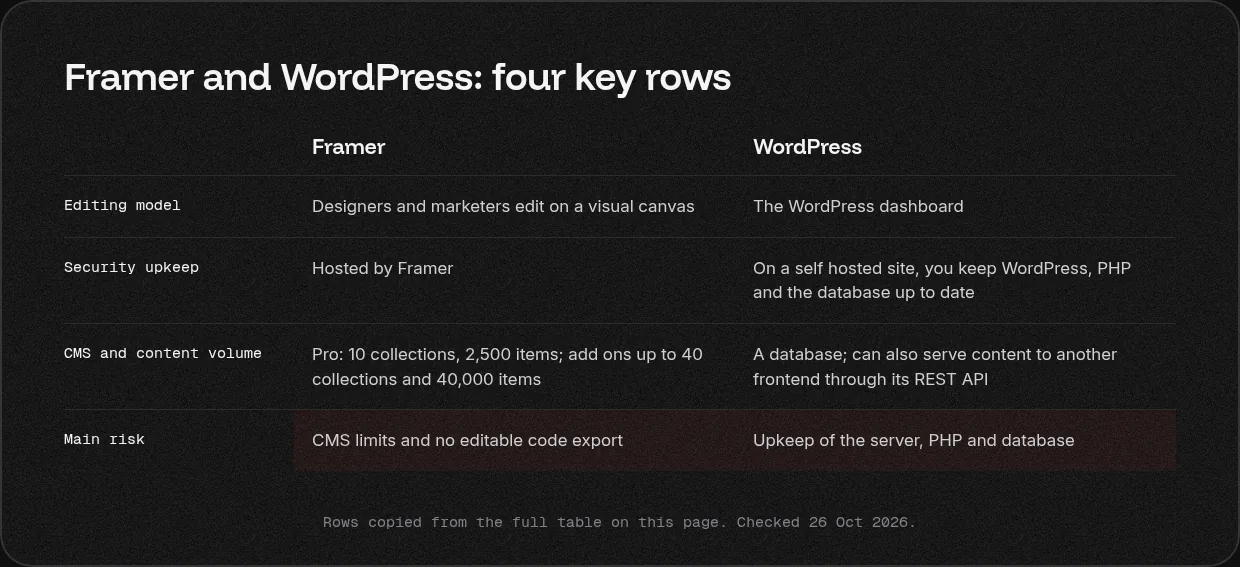
These describe each platform from its own official pages. Last checked: 26 Oct 2026.
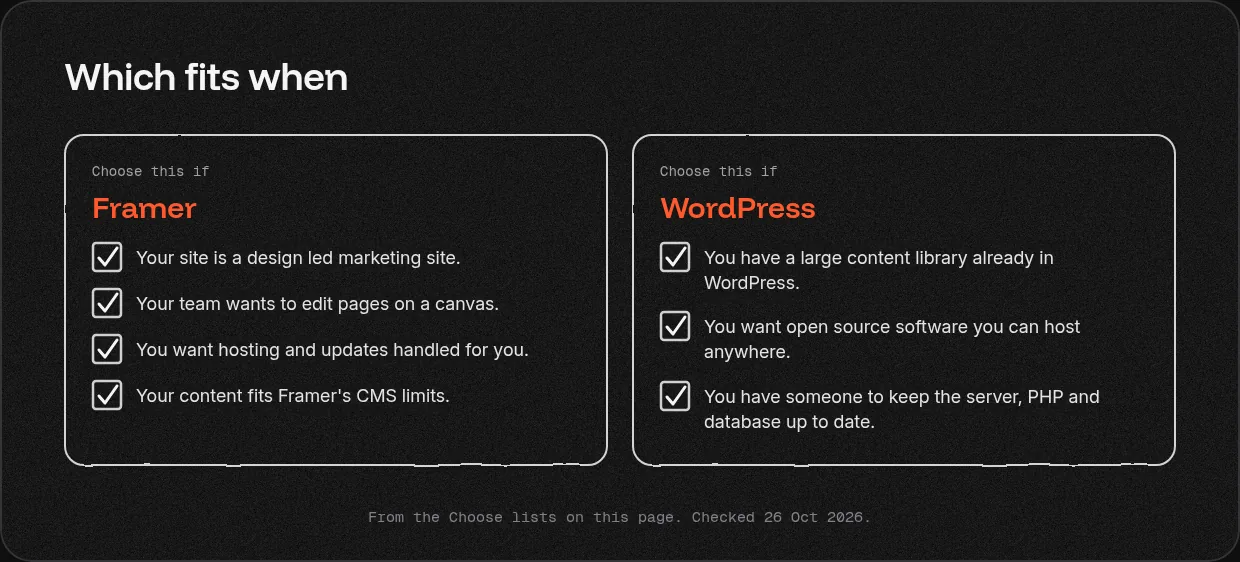
Choose Framer if
- Your site is a design led marketing site.
- Your team wants to edit pages on a canvas.
- You want hosting and updates handled for you.
- Your content fits Framer's CMS limits.
Choose WordPress if
- You have a large content library already in WordPress.
- You want open source software you can host anywhere.
- You have someone to keep the server, PHP and database up to date.
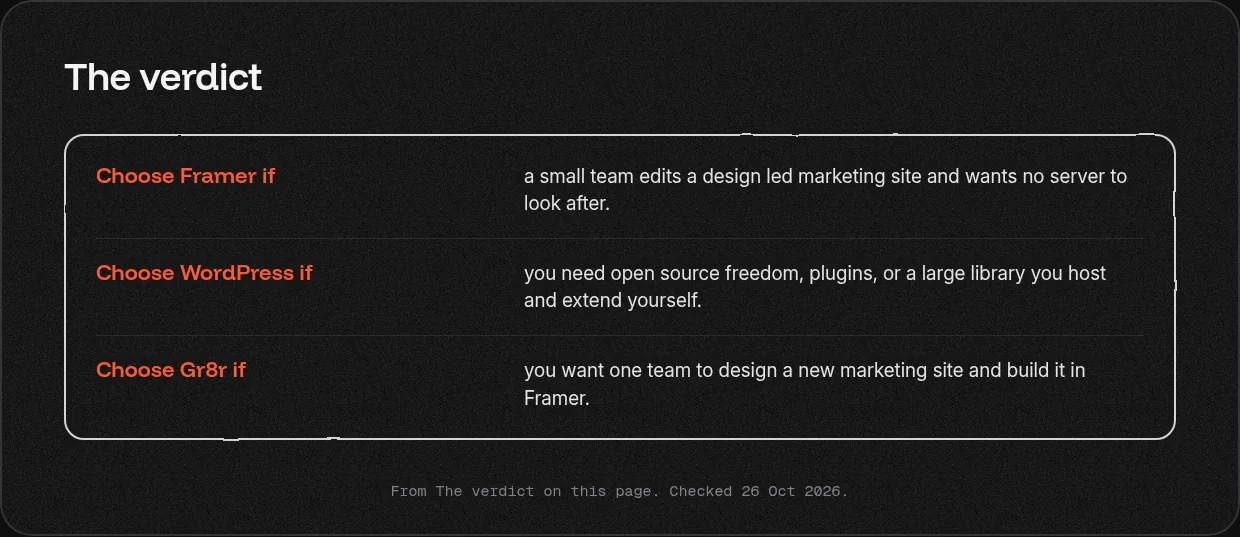
The verdict
- Choose Framer if a small team edits a design led marketing site and wants no server to look after.
- Choose WordPress if you need open source freedom, plugins, or a large library you host and extend yourself.
- Choose Gr8r if you want one team to design a new marketing site and build it in Framer.
What each costs to run
We do not list figures here; plans change, so check each official page.
- Framer: Basic, Pro and Enterprise site plans, billed per site, plus paid editor and content editor seats and add ons [1].
- WordPress: the software is open source [6]. Self hosting means paying for hosting yourself; hosted plans are listed on WordPress.com [4].
Our view
We build in Framer, so we are not neutral, and we try to show where WordPress wins. If your editors live in the WordPress dashboard and the site works, keep it. If you need deep plugin work or a large WordPress estate looked after, a WordPress specialist is the better choice. Clients own everything once it's paid for.
What we have built
- Savari (savari.io): For Savari, we designed and built the website in Framer.
- Hinterland (hinterland-plum.vercel.app): An editorial publication about mental health. Built by Gr8r for its own portfolio. Not client work.
50+ projects shipped across product design, engineering and websites.
Moving between them
Moving from WordPress to Framer means rebuilding the pages and moving posts into a Framer CMS collection, within its item limits 1]. Every post URL needs a mapping and a redirect. See [website migrations.
Related services: website design and development and Framer.
What to read next?
- Framer vs Webflow
- Webflow vs WordPress
- Next.js vs WordPress
- Framer websites
- How marketing can edit the site without a developer
- Every way to get it built
Questions
Is Framer better than WordPress?
For a design led marketing site that a small team edits on a canvas, Framer is often simpler: one hosted tool and no server to keep. WordPress is better when you need open source freedom, plugins, or a large content library you host and extend yourself. Pick by who edits and who maintains it.
Is Framer better than WordPress for SEO?
Neither wins by default. Framer Pro includes site redirects and hosts pages on a global network. WordPress gives you full control through its open source code and plugins, if someone maintains them. Rankings depend more on content, site structure and clean redirects than on the platform you choose.
Can I switch from WordPress to Framer?
Yes, for most marketing sites and blogs that fit Framer's CMS limits: 10 collections and 2,500 items on Pro, more with add ons. Map every old URL, add a server side 301 redirect for each one that changes, and move posts into Framer CMS collections before launch.
Who maintains each?
Framer hosts the site for you, so your team only edits content. A self hosted WordPress site needs someone to keep WordPress, PHP, the database and plugins up to date. Hosted WordPress plans move part of that work to the host. Decide who owns upkeep before you choose a platform.
Which is cheaper to run?
Framer charges a plan per site, plus paid editor seats and add ons. WordPress software is open source, so a self hosted site means paying for hosting and the time to maintain it; hosted plans are listed on WordPress.com. Compare the total cost, including the people who keep it running.
What does WordPress need to run?
WordPress recommends a host with PHP 8.3 or greater, MariaDB 10.11 or greater or MySQL 8.0 or greater, and HTTPS support. It is open source and licensed under the GPLv2. Framer needs none of this from you, because it hosts the site on its own network.
More comparisons
Framer development · Framer vs Webflow · Next.js vs Framer · Webflow vs WordPress · Next.js vs WordPress · every way to get it built
Sources
Official pages only. Plans and limits change; each source shows the date we checked it.
- Framer pricing, checked 26 Oct 2026
- Astro docs: WordPress as a headless CMS, checked 26 Oct 2026
- WordPress requirements, checked 26 Oct 2026
- WordPress.com pricing, checked 26 Oct 2026
- Framer vs Webflow, Framer compare page, checked 26 Oct 2026
- About WordPress, checked 26 Oct 2026
- Framer help: Can I export my website to HTML and self host it?, checked 26 Oct 2026
- Framer help: Porting your data from Framer, checked 26 Oct 2026
Last checked: 26 Oct 2026.
Tell us what you are building
Book a 30 minute call, tell us what you are building or email hello@gr8rstudio.com.