How Marketing Can Change the Homepage Without Waiting on a Developer

Tanjim Islam
Founder & CEO · · 7 min read


This post is a use case. It shows one picture of the problem, then the four things that fix it. If you are still picking who builds the site, read how to choose a Framer agency first. For our own service, see the Framer agency page.
What does waiting on a developer look like?
Here is an illustration, not a real client.
It is Monday morning. The product team shipped a new feature on Friday. The head of marketing wants the homepage headline to say so, and wants the old customer quote swapped for a newer one. Two lines of text and one photo.
She opens a ticket. The developer who built the site is busy with the app. The ticket sits there Tuesday. On Wednesday someone asks in Slack if it is done. On Thursday the change goes live, but the photo is cropped wrong on phones, so there is a second ticket.
Nothing here is hard. The site just was not built for the people who change it most.
Why does a small homepage change need a developer?
Usually because of how the site was set up, not because of the tool.
Three patterns cause most of the waiting:
- Text is typed straight into the layout. The headline is not a field anyone can edit. It is part of the design file or the code.
- Sections have no names. The homepage is a stack of frames called "Frame 12" and "Stack copy 3". Nobody on marketing knows which one holds the logos.
- Nobody was shown how. The site launched, the builder moved on, and marketing never had an hour with the editor.
Fix those three and add clear ownership, and most homepage changes stop being tickets.
What should go in the CMS?
Anything that changes more often than the layout. A simple test: if marketing will want to change it in the next three months, it should be a field, not a fixed piece of design.
For a homepage, that often means:
- The hero headline, subline and button label
- Customer quotes you have permission to use
- Logo rows
- Feature cards and their short descriptions
- Announcement bars and launch banners
Framer's CMS is built for repeated content. Its marketing page says to use the CMS "for repeatable content like resources, customer stories, product updates, and campaign pages that marketers can manage directly" (Framer, Marketing website builder, page date not shown, fetched 25 Oct 2026). That is the vendor speaking, so treat it as what the tool is for, not proof that your site is set up that way.
The CMS has one more benefit people forget. Framer says on page editing can create new pages only "if they are powered by the CMS" (Framer Help, Using on page editing, updated 15 Sep 2026, fetched 25 Oct 2026). So if marketing will ever want a new case study or a new launch page, that page type has to start life as a CMS collection.
Why do homepage sections need names?
Because people edit what they can find.
Picture the layers panel. On one site it reads "Hero", "Logo row", "Feature cards", "Pricing teaser", "Customer quote", "Final call to action". On another it reads "Frame 4", "Frame 4 copy", "Stack". The first one can be handed to a new marketer on day one. The second needs a guide.
Content sites show why this matters. Hinterland, an editorial publication about mental health that Gr8r built, has Topics, Stories, Tools and Resources in its menu and a "New in the Library" line at the top. Sections with plain names are what let a writer update a site like that. Built by Gr8r for its own portfolio. Not client work.
Ask for three things:
- Plain names that match what the team says out loud. If everyone says "the logo strip", call it that.
- One component per repeated block, so a quote card looks the same everywhere and is edited the same way.
- Clear editable properties on each component: headline, image, link. Framer's on page editing can change "component properties" on the live site, per the help article above, so well named properties show up as things a marketer can safely change.
What can marketing edit on a live Framer site?
Quite a lot, based on Framer's own help center (fetched 25 Oct 2026).
Per Using on page editing (updated 15 Sep 2026):
- People with Content permissions open the published site and click an Edit button on the right side of the page.
- Editable content includes "text and rich text, images, component properties, content on static pages and CMS content."
- Some parts are not supported yet. The article names "layout templates and overlay content."
- A Show All Fields option opens CMS fields that are not visible on the page, such as SEO descriptions.
Per Members, roles, and permissions (updated 15 Sep 2026):
- A Content Editor can manage CMS content, localization and on page editing across the whole workspace.
- On plans with advanced permissions, access splits into Design, Content and Deploy. Deploy means "Publish and manage site deployments."
Framer announced this way of editing as part of its CMS 2.0 release on 6 August 2025 (Framer Updates, fetched 25 Oct 2026). Plans and features change, so check the help center on the day you set up roles.
What happens in a handoff session?
The marketer drives. The builder watches.
A useful session is short and practical. Bring the real changes marketing wants this month and make them together:
- Change the hero headline on the live page.
- Swap a customer quote and check it on a phone.
- Add a new CMS item, such as a case study, from start to finish.
- Open Show All Fields and fill in the SEO description.
- Click Finish Editing and watch the publish request arrive.
Record it. Then write a one page guide with the section names, the fields marketing owns, and the short list of things not to touch.
Who owns the site, and who presses publish?
Two separate questions. Answer both in writing.
Ownership. The project should sit in a workspace your company controls, with the domain and analytics in your name. Our guide on choosing a Framer agency covers project transfer in detail, so we will not repeat it here. At Gr8r, clients own everything once it's paid for.
Publishing. Framer's flow has a review step built in. When an editor clicks Finish Editing, "an email notification is sent to collaborators with publishing permissions," and the changes go live after one of them reviews and publishes (Framer Help, Using on page editing, updated 15 Sep 2026, fetched 25 Oct 2026).
So name the publisher. In a small team it can be the head of marketing herself. In a bigger one it might be a designer who checks the page on a phone first. What matters is that the name is written down, so a finished edit does not sit unpublished for a week.
What should stay with a designer or developer?
Self serve does not mean anyone can change anything. Keep a short list with the builder:
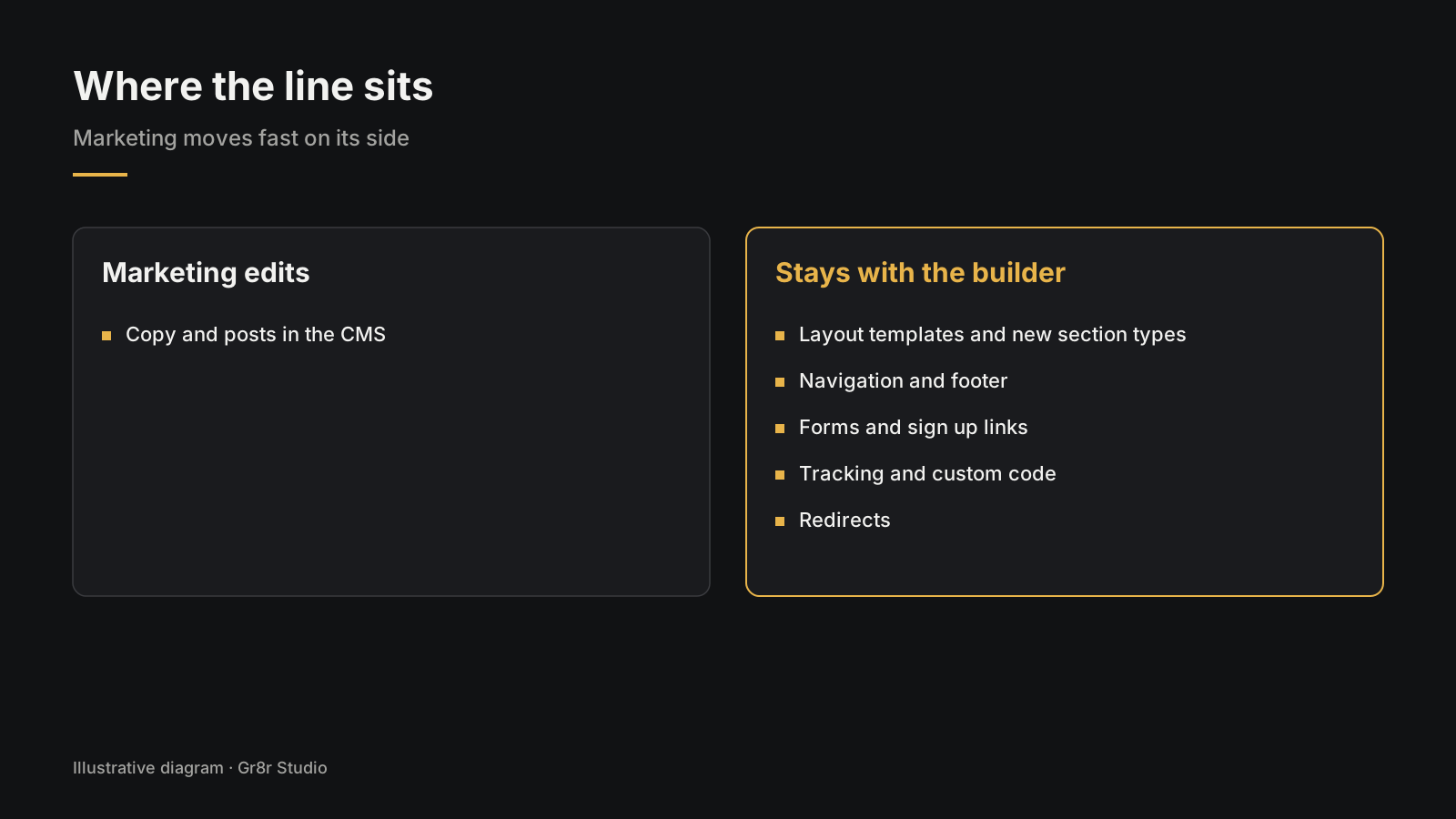
- Layout templates and new section types
- Navigation and footer structure
- Forms, sign up links and anything that feeds your product
- Tracking scripts and custom code
- Redirects when a page URL changes
Write this list into the handoff guide. When everyone knows the line, marketing moves fast on its side of it and nobody breaks the parts that pay the bills.
If you are not sure your current site is set up like this, Gr8r offers a free UX audit to the first 5 companies that ask.
Frequently asked questions
Can marketing edit a website without a developer?
Yes, if the site was built for it. Content that changes often lives in a CMS, sections have plain names, marketers have the right permissions, and someone has shown them how to edit and publish.
Can you edit a Framer site from the live page?
Yes. Framer's help center says on page editing lets site owners and collaborators with Content permissions edit text, images, component properties and CMS content from the published site, without opening the canvas.
Who publishes changes made with Framer on page editing?
A collaborator with publishing permissions. Framer says that when an editor clicks Finish Editing, those collaborators get an email, and the changes go live after one of them reviews and publishes the site.
What should marketing never change on its own?
Layout templates, navigation structure, tracking scripts and anything that touches forms or sign up. Agree this list during handoff and write it down, so nobody has to guess.
Does Gr8r hand over the Framer project?
Yes. Clients own everything once it's paid for.
About the author
Tanjim Islam is the founder and CEO of Gr8r Studio. He founded the studio in 2023. Here he writes about how Gr8r approaches hiring, product design and AI engineering. More on the About page.
If you want help with this, book a 30 minute call.